Most Shopify stores do not have a crawl budget problem. They have duplicate links, filter URLs and unclear bot rules. We find those with a crawl log and fix them in the theme.
Let the right crawlers in, keep the noise out and prove it.
Shopify writes your sitemap, robots file and canonical tags. We check that your theme, apps and edge layer have not undone them, and that the crawlers you want can reach the pages that matter.
- 2 layersof crawler control on Shopify: the network first, then robots.txt
- 1M+pages, changing weekly, is where Google aims its crawl budget guide (a rough size, not a limit)
- 50,000URLs or 50 MB: the size limit of one sitemap file
- Two jobsGPTBot trains models. OAI-SearchBot feeds ChatGPT search.
The honest start
What Shopify does, and two things people get wrong
Shopify builds your sitemap.xml and robots.txt and adds canonical tags to pages on its own. Its default robots file blocks cart, checkout, account and order pages. It also blocks filtered collection pages that combine tags with a plus sign, and sorted collection pages.
First thing people get wrong: duplicate product URLs. A product can sit at /products/handle and at /collections/name/products/handle. Current Dawn does not link to the second form, because its product card uses card_product.url. Themes and apps that use the within filter do. Shopify warns about the SEO side of that filter in its own docs. So we count the links in your rendered pages before we call it a problem.
Second thing: crawl budget. Google wrote its guide mainly for sites with about a million pages that change weekly, or about 10,000 pages that change daily, and calls those sizes a rough estimate. Check your own page count first, because many stores sit well below those sizes. Below them, duplicates are more likely to cost you clear signals than crawl budget.
On the three stores we checked on 18 October 2026, the default robots file had no rule for GPTBot, ClaudeBot, PerplexityBot, OAI-SearchBot or Google-Extended. We have not checked every store, so we read yours.
Our rule. We show the link count, the canonical tag and the status code before and after. We do not promise a traffic number.
Already included
What Shopify ships, and where it can still go wrong
| Item | What Shopify does | Where it can go wrong |
|---|---|---|
| robots.txt | Generated for you. Allows public pages and blocks admin, cart, checkout, account, orders, tag combinations and sorted collections. | Adding robots.txt.liquid replaces the generated file. Shopify calls it an unsupported customization and says its rendered output does not always match the default. |
| Canonical tags | Added by the theme through the canonical_url object. | A theme or app can change the tag. Google treats a canonical as a strong signal, not a command. |
| sitemap.xml | Generated, linked to separate product, collection, blog and page sitemaps, and updated when you add content. One per domain when you use international domains. | Google reads lastmod only when it is consistently accurate and ignores priority and changefreq. |
| Language and region tags | Shopify Markets adds hreflang to your theme. | Only for stores that use Markets. |
| Bot management | Handled by Shopify at the network layer. No action needed. | Shopify does not recommend putting a proxy in front of the store and cannot support one. |
| AI shopping feeds | Shopify Catalog syndicates eligible products to the agentic storefronts you turn on, apart from robots.txt. | Blocking a crawler does not stop Catalog sending your products to an AI channel you enabled. |
AI crawlers
Which bot does what
A rule for a training bot is a different choice from a rule for a search bot. Mixing them up is the common mistake. Rules in robots.txt are advisory, as Shopify says, and user-triggered fetchers may ignore them.
| Token | Owner | What it does | If you block it |
|---|---|---|---|
| OAI-SearchBot | OpenAI | Finds pages for ChatGPT search results. OpenAI recommends allowing it. | Your site is not shown in ChatGPT search answers. It can still appear as a plain link. |
| GPTBot | OpenAI | Crawls content that may be used to train foundation models. | Says your content should not be used for training. Search is a separate setting. |
| ChatGPT-User | OpenAI | Opens a page when a person asks ChatGPT or a custom GPT to. | robots.txt rules may not apply. It does not decide search inclusion. |
| ClaudeBot | Anthropic | Collects content that may contribute to model training. | Signals that future content is left out of training sets. |
| Claude-SearchBot | Anthropic | Improves search result quality. | May reduce your visibility and accuracy in Claude search answers. |
| Claude-User | Anthropic | Opens a page when a person asks Claude to. | May reduce your visibility for user-directed search. |
| PerplexityBot | Perplexity | Surfaces and links sites in Perplexity search. Not used for foundation model training. | Your site may not appear in Perplexity results. |
| Perplexity-User | Perplexity | Opens a page when a person asks. | Generally ignores robots.txt rules. |
| Googlebot | Crawls for Search, including AI Overviews and AI Mode. | Googlebot rules are the control for Search and its AI features. To limit what AI features show, use nosnippet, data-nosnippet or max-snippet. | |
| Google-Extended | A control token only. Covers Gemini training and grounding in Gemini Apps and Vertex AI. | Does not affect inclusion in Google Search or ranking. |
Sources: OpenAI, Anthropic, Perplexity and Google crawler documentation, all opened on 18 October 2026. Anthropic dated its page 7 April 2026. Source: OpenAI: crawler overview
Where it breaks
Four checks that find real problems

Two URLs, one product
We count nested product links in your rendered collection pages and read the canonical on each one. If your theme uses the within filter, the fix is in the theme, not in a blocking rule.
Source: Shopify Dev: the within filter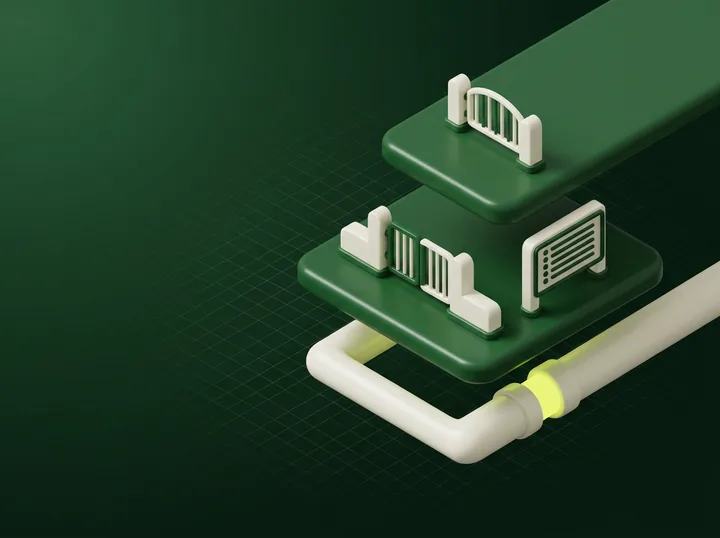
Two layers, and a pipe under both
Shopify manages bot rules at the network layer and lets you edit robots.txt. Catalog sends products to AI channels in a third path that skips both. Cloudflare announced a default block on AI crawlers on 1 July 2025, and Shopify does not recommend a proxy in front of a store, so we check whether anything sits in front of yours.
Source: Shopify Help: controlling AI crawler access
Filters and pages
Google prefers robots.txt rules for filter URLs, with canonical and nofollow as weaker tools. Shopify already blocks tag combinations and sorted views, so we test your filter URLs against those rules. Paginated pages should each have their own URL, such as ?page=2, and their own canonical, not a canonical to page one.
Source: Google: managing faceted navigation URLs
Each crawler, one by one
We fetch key pages with each documented user agent and log the status codes. This has a limit: we send from our own address, so a firewall rule keyed on a vendor address range would not show up. We say so in the report.
How we check
The work, in order
Save today’s robots.txt
Shopify tells you to save the current output and compare it with the new one before publishing. We do the same and keep both.
Crawl the rendered store
Status codes, redirect chains, canonicals, nested product links, filter URLs and pagination, as a crawler sees them.
Fetch as each crawler
The matrix above, with the limit stated. We also check that product markup is in the first HTML, since Google says JavaScript-built Product markup can make Shopping crawls less frequent and less reliable.
Fix in a copy of your theme
Theme links first, then rules. Changes to robots.txt.liquid go through a diff you review, because Shopify Support does not help with that file.
Submit and watch
Sitemap in Search Console, then the indexing reports. Google says indexing and serving are never certain, and we say the same.
Repeat after changes
A new theme, a new filter app or a proxy can undo the work. We check again after any of them.
Is it for you
When this pays, and when to leave it alone
It is worth it if
- Search Console shows many duplicate or alternate-canonical URLs.
- Your theme or an app creates nested product links or app-made URLs.
- You want to know exactly which AI crawlers can reach you.
- A proxy or firewall sits in front of your store.
Leave it alone if
- Your store is small, runs the default robots file and Search Console is clean.
- You want a crawl budget fix and your store is far below the sizes Google names. It is unlikely to be the problem.
- You want a ranking, traffic or indexing-time promise.
Questions
Questions, answered
Does Shopify create duplicate product URLs?
A product can be reached at /products/handle and, where a theme uses the within filter, at /collections/name/products/handle. Shopify sets canonical tags automatically, and its docs warn about the SEO side of the within filter. Current Dawn links to /products/handle, so it does not create the nested form.
Should I block /collections/*/products/* in robots.txt?
Change the theme links first. That path is how some themes link to products from collections, and the Google pages we read give no advice to block it. Google’s advice on robots.txt is for filter parameters. We test the result on your store before choosing.
How do I edit robots.txt on Shopify?
Add a robots.txt.liquid file to your theme. It replaces the generated file, Shopify Support will not help with it, and its output may differ from the default. Save the current /robots.txt and compare before you publish.
Should I block GPTBot or ClaudeBot?
That is a training choice. To stay in ChatGPT and Claude search, allow OAI-SearchBot and Claude-SearchBot, and know that user-triggered fetchers such as ChatGPT-User and Perplexity-User may ignore robots.txt. Shopify calls robots rules directional and advisory.
Does blocking AI crawlers remove my products from ChatGPT shopping?
No. Shopify says Catalog syndication to agentic storefronts you have turned on does not depend on robots.txt. Blocking affects open-web discovery only. To stop sharing, change the agentic storefront settings in your admin.
Do I need to worry about crawl budget?
Probably not. Google writes its crawl budget guide mainly for sites with about 1 million or more unique pages that change weekly, or 10,000 or more that change daily, or with many URLs marked Discovered, currently not indexed. Google calls these rough estimates, not exact limits. For smaller sites it says keeping the sitemap current and checking the Page Indexing report is adequate.
How should collection pagination work?
Give each page its own URL, such as ?page=2, link pages to each other with ordinary links, and give each page its own canonical. Do not point every page at page one, and do not use a # fragment for page numbers.
What does the sitemap need to do?
Shopify generates it and keeps it current. Each file holds up to 50,000 URLs or 50 MB. Google uses lastmod only when it is accurate and ignores priority and changefreq. Submit the sitemap in Search Console.
Keep reading
Related pages.
- Structured data and entityMarkup that matches the page, the feed and Merchant Center.
- Answer-first contentCopy for shoppers, and what the studies say about it.
- Speed and Core Web VitalsApp weight and page speed.
- Agentic commerceWhat AI shopping channels can see of your store, and what is still a pilot.
Sources (22 pages, all opened on 2026-10-18)
- Shopify Help: editing robots.txt.liquid
- Shopify Help: SEO overview
- Shopify Help: finding and submitting your sitemap
- Shopify Dev: customize robots.txt
- Shopify Dev: the within filter
- Shopify Dev: hreflang tags in themes
- Shopify Dawn theme: card-product.liquid
- Live robots.txt: allbirds.com
- Live robots.txt: gymshark.com
- Live robots.txt: kith.com
- Google: managing faceted navigation URLs
- Google: crawl budget
- Google: specify a canonical URL
- Google: pagination and incremental page loading
- Google: build and submit a sitemap
- Google: merchant listing structured data
- Google: AI features and your website
- Google: common crawlers
- OpenAI: crawler overview
- Anthropic: how its crawlers work and how to block them
- Perplexity: crawlers
- Cloudflare: Content Independence Day (1 July 2025)
Not sure what your store lets in?
Tell us your store address and what sits in front of it. We scope the work after looking at the store, and we will say what we would check first and whether it is worth paying for.