Shopify Exchange Is Closed: How to Buy or Sell a Shopify Store Now
Shopify shut its Exchange marketplace on 1 November 2022. This guide explains what replaced it, how a Shopify store sale and ownership transfer work today, and a due-diligence checklist for buyers, plus a short pointer for stores that only want to handle product exchanges.


Shopify Exchange, the marketplace where people bought and sold Shopify stores, is closed. Shopify's own help pages now say sales of Shopify stores happen away from the Shopify platform, through direct deals or third-party marketplaces and brokers. This guide, explains how that works in practice, what a transfer of ownership covers, and what a buyer should check before paying. If you came here to handle product exchanges in your own store, jump to the last section.
What happened to Shopify Exchange
Shopify Exchange was a marketplace for buying and selling Shopify-based businesses. A broker's write-up says it opened in 2017. Replies on Shopify's community forum, dated December 2022 and March 2023, say the Exchange Marketplace app was decommissioned on 1 November 2022. They add that its listings can no longer be browsed and that merchants cannot install the app to create new ones.
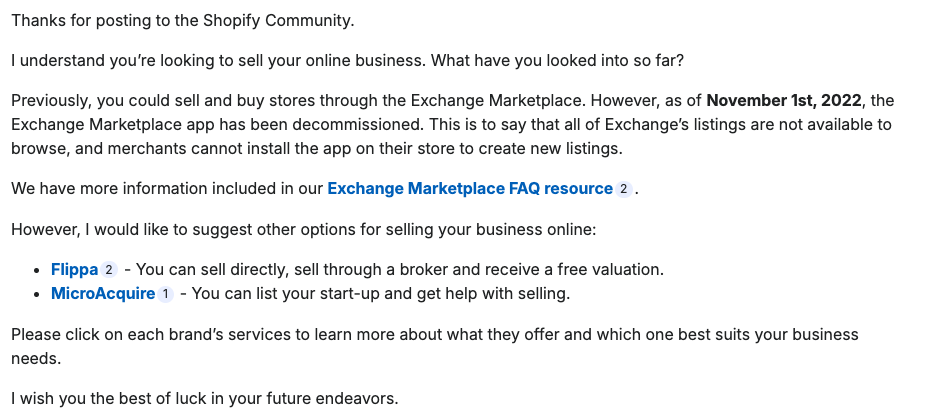
We also opened the old exchange address on Shopify's domain today. It shows a Shopify "store unavailable" page, not a marketplace. We did not find any official Shopify page that announces a replacement marketplace.
Two warnings follow from this:
- Old guides are out of date. Some pages still describe Exchange as a live place to list a store. That includes older posts on Shopify's own blog and an earlier version of this article. Treat any page that tells you to "list on Shopify Exchange" as stale.
- A name can mislead. "Shopify Exchange" is also used loosely for product exchanges inside a store (a customer swaps an item for another size). That is a different thing, covered at the end.
How selling a Shopify store works today
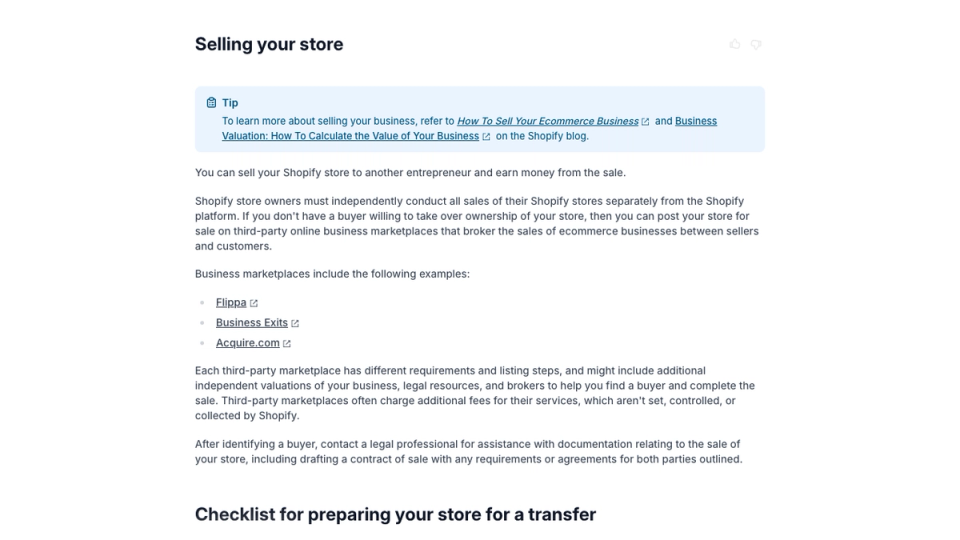
Shopify's help page on changing or transferring ownership says store owners must conduct sales of their stores separately from the Shopify platform. If you have no buyer yet, it points to third-party business marketplaces and names three examples: Flippa, Business Exits and Acquire.com. It also says each one has its own requirements and listing steps, may include valuations, legal resources and brokers, and often charges fees that Shopify does not set or collect. Once you have a buyer, it tells you to use a legal professional to draft the contract of sale.
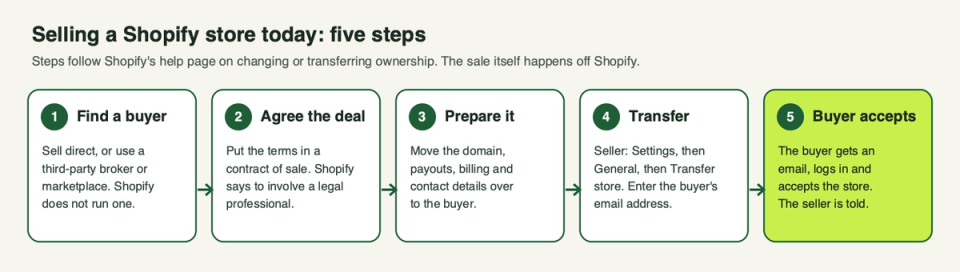
The route therefore has two separate parts. First, the deal: finding a buyer, agreeing a price, signing a contract. Second, the handover: moving ownership inside Shopify and moving everything Shopify does not move for you.
The three marketplaces Shopify names
We read each vendor's own page today. These are their claims, not our test results. We have not listed a store on any of them.
| Option | What its page says | Pick this if | Skip this if |
|---|---|---|---|
| Flippa | Listings are reviewed by its team, financial and traffic data can be connected, buyers sign an NDA to see a data room, and funds settle through escrow before assets transfer. It also offers brokers. | You want a large marketplace with a structured data room and broker help available. | You want a flat, simple process and have no time for preparing documents. |
| Acquire.com | Lists online businesses including ecommerce, lets you build and send letters of intent and purchase agreements, and says deals close with Escrow.com. | You are comfortable running your own sale with platform support. | You want a broker to run everything. Check that Shopify stores like yours are well covered. |
| Business Exits | A brokerage. Its page says licensed brokers market your business and connect you with accountants or attorneys you pay directly. | You want a human broker and a larger sale. | You have a small store and want to avoid a brokerage relationship. |
Fees differ and change, so read each current fee page. We do not quote any here. You can also skip marketplaces and sell to someone you already know. The ownership transfer works the same way.
Valuation basics, as Shopify explains them
Shopify's help page lists a business valuation as a preparation step. Shopify's blog article on valuation says most valuations are done by certified professionals working with accountants. It says they gather income statements, balance sheets, tax returns, sales reports, payroll data, inventory counts and any contracts or assets, then review revenue trends, margins, cash flow, customers and seasonality.
It names three general approaches:
- Income approach: value based on expected future earnings.
- Market approach: value based on what similar businesses recently sold for.
- Asset-based approach: value based on net assets, meaning what the business owns minus what it owes.
We are not giving multiples or price ranges here. They vary by source, date and business, and a number from a blog is a poor guide to your own store. Get a valuation from a qualified person, and compare it with what a marketplace or broker offers.
What a Shopify ownership transfer covers
The mechanics come from the same Shopify help page. On plans other than Shopify Plus, the seller opens Settings, then General, finds the Transfer store section, chooses to transfer the store to a new owner outside their business, and enters the new owner's email address. Shopify may ask the seller to authenticate. The buyer gets an email, logs in and accepts the store, and can add it to an organization or skip that step. The seller gets an email when the buyer accepts or declines, and can cancel while the transfer is in progress.
If the store is on Shopify Plus, the help page points you to Plus Support for store transfers and other complex store tasks. See our guide to Shopify vs Shopify Plus if you are unsure which plan a store uses.
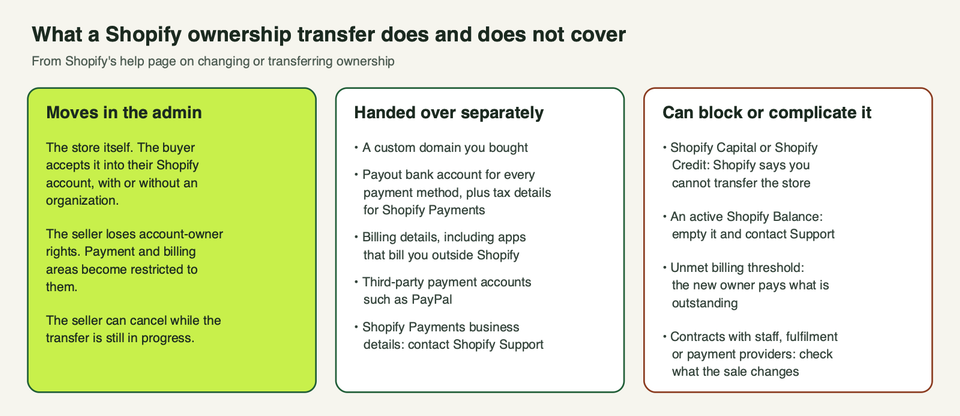
The transfer does not do everything. Shopify's help page says the seller must separately:
- Transfer ownership of any custom domain they bought.
- Update the payout bank account for every payment method. For Shopify Payments that also means tax details. For third-party providers such as PayPal, switch the account or transfer it from within that provider.
- Update billing details, including any third-party apps that hold billing outside Shopify.
- Contact Shopify Support if Shopify Payments business information needs to change.
It also lists things that block or complicate a sale. Shopify says a store using Shopify Capital or Shopify Credit cannot be transferred. If there is an active Shopify Balance, it must be emptied and Support contacted. If the billing threshold has not been met at transfer, the new owner is responsible for paying. And it notes that onboarding a new owner to the brand and processes can take days to months, depending on the size of the business.
Shopify says its own preparation list is not exhaustive. Take that seriously.
Due-diligence checklist for a buyer
Shopify's pages cover how to move ownership. They say little about whether a store is worth buying. The checklist below is our judgement, shaped by what Shopify, Flippa and the others say buyers look at. Where an item rests on a source we link it. Anything we could not verify is marked as a question to ask.
1. Revenue and profit records
- Ask for income statements, tax returns and sales reports, the kinds of records Shopify's valuation article says professionals gather.
- Compare three sources: the seller's accounts, the store's own reports in its admin, and the money that actually reached the bank. If they do not agree, ask why before going further.
- Be wary of screenshots alone. Ask to see the figures live, or to have your accountant see them.
2. Traffic and where sales come from
- Ask where visitors and orders come from, and what share depends on one channel or one ad account. Flippa's page says concerns such as customer concentration, return rates and ad account health often surface early in diligence.
- Ask whether any sales channel or ad account is tied to the seller personally. Whether it can move to you depends on that platform's rules, so check them.
- Look at the store yourself. A slow theme or broken checkout is a cost you inherit. Our theme performance guide lists what to test.
3. Orders, inventory and open commitments
- Check stock counts against what is physically there. Shopify's own preparation list tells sellers to make sure inventory is accurate.
- List unfulfilled orders, open returns and exchanges, gift cards and any subscriptions. Customers are owed these, and you will deal with them after the sale unless the contract says otherwise.
4. Suppliers and fulfilment
- Ask for supplier terms in writing and have each key supplier confirm they will keep supplying a new owner. Flippa's page says buyers look for supplier terms and inventory systems that hand over cleanly.
- Shopify's preparation list says to check contracts with third parties such as fulfilment services. Do the same for any staff or contractors.
- Find out whether the seller personally does a task nobody else can do. Written processes help.
5. Payments and money accounts
- Ask whether the store uses Shopify Capital, Shopify Credit or an active Shopify Balance. By Shopify's help page, the first two stop a transfer.
- Check for unpaid Shopify bills, and ask about any outstanding app bills. Shopify says the new owner pays if the threshold has not been met.
- Plan the bank and tax changes in advance. The payout and tax updates are the seller's job under Shopify's checklist, but you should confirm they happen on the day.
- For a direct deal with no marketplace, ask a lawyer how to hold the money until the handover is complete. Flippa and Acquire.com each say they use escrow. Shopify's help does not describe any payment process.
6. Domain and email
- Confirm the seller owns the domain and has registrar access. Shopify says a domain they bought must be transferred to you as well.
- If the business email uses the same domain, plan how it moves. We did not find Shopify guidance on this.
7. Apps, theme and access
- Ask for a list of installed apps, who pays each one, and which bill outside Shopify.
- Ask the vendors whether paid theme or app licences move to a new owner. We did not verify this in Shopify's documentation, so get it in writing from each vendor.
- Review staff accounts and any outside access (agencies, freelancers) and remove what you do not need after the sale. Shopify says users keep store permissions in some transfers within an organization, so check access rather than assuming it is cleared.
8. Policies, legal and customer data
- Read the refund, shipping and privacy policies. Check that the store can keep the promises it makes. Return rates are a cost the seller may not show you.
- Treat the customer list with care. Whether you may email it depends on what customers agreed to and the law where they live. Ask a lawyer.
- Have a professional draft or review the contract of sale, as Shopify's help page advises. State what is included: domain, brand assets, social accounts, supplier contacts, stock.
9. Handover
- Agree training time and what documents the seller will leave. Shopify's 2018 selling article describes sellers offering training and guides, and Shopify's help page says onboarding can take days to months.
- After closing, run through our Shopify launch checklist as if the store were new to you. It will catch broken links, missing policies and tracking gaps.
If you want a technical review of the theme, apps and tracking before you sign, get in touch. We can look at the store's build, but we cannot value the business for you or check its books.
Selling: a short preparation list
The same help page lists what a seller should do before transfer: keep the store and inventory accurate, move the domain, get a valuation, save billing and payout history (for example by exporting it), review contracts that the sale affects, and update contact, notification, billing and payout information to the new owner. It says to follow the steps to officially transfer ownership last, because that removes owner permissions from the seller's login.
Handling product exchanges in your own store
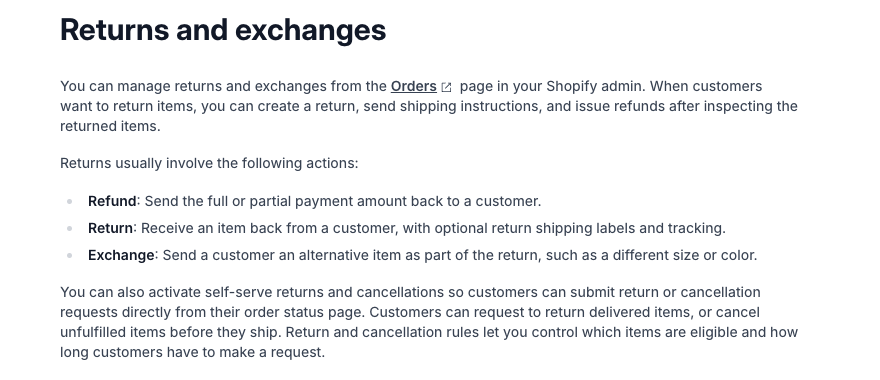
If you do not want to buy or sell a store and only need to let customers swap items, that sits in Shopify's returns tools. Shopify's returns and exchanges page says you manage returns and exchanges from the Orders page in your admin. It defines an exchange as sending a customer an alternative item as part of a return, such as a different size or colour. It also describes self-serve returns, where customers submit requests from their order status page, and rules for which items are eligible and for how long.
Read Shopify's returns and exchanges documentation for the current steps and limits. We could open only the overview page today, so check its sub-pages for details we do not cover.
One technical note for stores that use a returns app or custom integration. Shopify's developer page says the older ExchangeV2s API is deprecated and was planned for removal in API version 2026-04. It tells integrations to read exchanges through Order.returns. Ask your app vendor whether they have moved. For broader store practice, see our ecommerce best practices.
Frequently asked questions
Is Shopify Exchange still open?
No. Replies on Shopify's community forum say the Exchange Marketplace app was decommissioned on 1 November 2022. We did not find an official replacement.
Can I still list my store on exchange.shopify.com?
No. The address did not show a marketplace when we opened it.
Where can I sell my Shopify store now?
Shopify's help page says to sell separately from the platform, directly or through third-party marketplaces and brokers. It names Flippa, Business Exits and Acquire.com as examples.
Does Shopify handle the sale or the payment?
Based on its help page, no. Shopify provides the ownership transfer in the admin. The deal, the contract and the payment are between buyer and seller, with any marketplace or lawyer you use.
Can I transfer a store without a marketplace?
Yes. Shopify's help page describes the transfer to a new owner by email address (Settings, General). For Plus stores the help page points to Plus Support. Remember the domain, payouts and billing are handled separately.
What stops a store from being transferred?
Shopify's help page says a store with Shopify Capital or Shopify Credit cannot be transferred, and an active Shopify Balance must be emptied with Support's help first.
Do I need a valuation?
Shopify's help page lists a valuation as a preparation step. A valuation also gives you something firm to bargain from, whichever side you are on.
Does Shopify allow product exchanges for customers?
Yes. Shopify's returns tools include exchanges as part of a return, from the Orders page. See the last section for the link.
Sources
The pages this guide rests on. Read the current version before you rely on a detail.
- help.shopify.com/en/manual/your-account/sell-store
- community.shopify.com/t/how-can-i-successfully-sell-my-online-...
- community.shopify.com/t/selling-my-website-business-help/20052...
- community.shopify.com/t/how-to-make-my-online-store-available-...
- exchange.shopify.com
- empireflippers.com/shopify-exchange-marketplace-closed
- shopify.com/blog/sell-business
- shopify.com/blog/business-valuation
- flippa.com/sell/ecommerce
- acquire.com
- businessexits.com
- help.shopify.com/en/manual/fulfillment/managing-orders/returns
- shopify.dev/docs/apps/build/pos/exchangesv2deprecation