AI Website Builders for Online Stores: 11 Tools and Where They Stop
AI website builders can draft a store's layout, copy and look in minutes, but catalog data, tax, shipping and checkout are still yours. Here is what 11 popular tools do for a shop, what they cost in US dollars, and who each one suits.


AI drafts the site, the store is still your job
Generated by Ecompanda AI
AI builders turn a sentence about your shop into pages, colours and copy in minutes. They do not get your product data, tax and shipping rules right, or test your checkout.
- Selling seriously or planning to grow: Shopify, with its AI tools on Basic and up.
- A small shop that wants one simple tool: Wix or Squarespace.
- Selling from Instagram or Etsy today: 10Web can build a store from what you already sell.
- Vibe-coding tools like Lovable and Bolt suit people happy to own code.
- Prices vary by country and some are promotions, so check the vendor's page before you buy.
An AI website builder will turn one sentence about your shop into a site with pages, colours, product sections and copy, and it does that part well. It will not load your real products, set your tax and shipping rules or test your checkout. For a store that plans to grow, Shopify is still the safest base; for a small shop, Wix or Squarespace is enough; the vibe-coding tools suit people who are happy to own code.
Below, each tool gets what it does for a shop, what it costs, and a plain "pick this if" and "skip this if". Prices are in US dollars, taken from each vendor's US pricing page when this guide was last updated. Several vendors show different prices by country, and some figures are promotions, so check the page before you buy.
The short answer
- Selling seriously, or planning to grow: Shopify. Its AI tools come with Basic and up, and the commerce side is the most complete.
- A small shop that wants one simple tool: Wix or Squarespace. Both draft a site with AI and both have a real store built in.
- Selling from Instagram or Etsy today: 10Web, which can build a store from what you already sell.
- The lowest upfront monthly figure: Hostinger, as long as paying for four years at once suits you.
- A design-led brand: Webflow, or Framer if the shop is only a small part of the site.
- A custom storefront with Shopify behind it: Lovable.
- Services, not products: Durable. Its FAQ says it is not designed specifically for ecommerce.
What an AI builder actually gives you
Nearly every tool here works the same way. Describe the business, answer a few questions, and the tool produces pages to edit. Most now keep an AI assistant beside the editor, so a section, a heading or a whole page can be changed by asking.
For a store, that first draft usually covers layout and navigation, a colour palette and fonts, draft copy, sample products, and basic SEO fields such as page titles. That is a real head start. A blank page is slow; a draft to react to is fast.
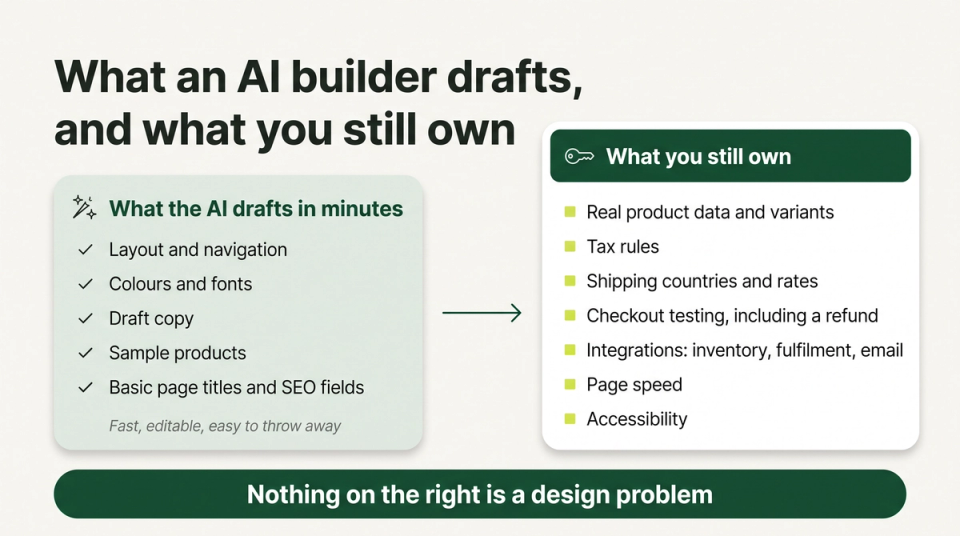
The catch is that a draft can look finished when it is not. Nothing on the right of that picture is a design problem. It is data, rules and testing, and no prompt knows your SKUs, your suppliers or where you are allowed to ship.
Two kinds of AI builder
These tools fall into two groups, and they solve different problems.
The first group is website builders with AI added: Shopify, Wix, Squarespace, Hostinger, 10Web, Webflow and GoDaddy. Each gives a visual editor, hosting, and a cart and checkout that the company maintains. The AI speeds up the build. The store underneath is the same one everybody else on that platform uses.
The second group is the "describe it and it writes the code" tools, often called vibe coding: Bolt, Lovable and the agent modes some builders now offer. They can build almost anything, but whoever owns the project owns the code, bugs included. For a shop that matters. A checkout that breaks at 2 a.m. is your problem, not a platform's.
The tools, one by one
1. Shopify: AI theme generation and Sidekick
Shopify is a commerce platform first and a site builder second, which is exactly why it suits stores. Its AI shows up in two places.
The first is theme generation. Describe your business and Shopify generates up to three free, personalised themes, saved as drafts. One change is worth knowing: Shopify's help page on adding themes says new themes can now only be generated from the Shopify mobile app or a mobile browser, not the desktop admin. Themes generated earlier still show on the Themes page. Generation is not available on the Starter plan.
The second is Sidekick, the AI assistant inside the admin. According to Shopify's AI tools overview, it writes blog posts, store pages and product descriptions, builds custom apps, and completes tasks from plain language. The Sidekick help page adds that it builds Shopify Flow automations, shows changes for review before applying them, and surfaces suggestions through Sidekick Pulse. We cover it in more depth in our Shopify Sidekick guide.
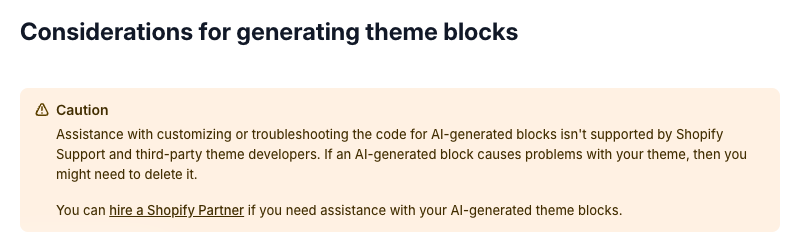
Sidekick can also generate theme blocks. Shopify's theme block page warns that the code may miss accessibility or performance best practices and that its support team will not troubleshoot it. A generated block is code you now look after.
On the Shopify pricing page, Basic is $29 a month billed yearly or $39 billed monthly. Grow is $79 yearly or $105 monthly, Advanced is $299 yearly or $399 monthly, and Plus starts at $2,300 a month. Most plans begin with a free three-day trial and then $1 a month for three months. The Shopify App Store says it has over 16,000 apps, which is the real reason stores stay on Shopify as they grow.
Pick this if you sell physical products, expect your range or order volume to grow, or will need wholesale, several markets, POS or serious integrations later.
Skip this if you want a brochure site with one product and no plan to grow. You would pay for commerce features you never touch, and on Basic, Shopify's pricing page lists a 2% fee when you use a third-party payment provider instead of Shopify Payments.
2. Wix: Wix Harmony and the Aria agent
Wix retired its old ADI builder on 10 November 2024, and its AI website builder is now part of Wix Harmony. Harmony mixes prompting with ordinary drag-and-drop editing. Start from a prompt or a template, then move freely between the AI and manual control.
Alongside it sits Aria, Wix's built-in AI agent. Ask it to rewrite the tone of a site, add a section or check accessibility, and it works inside the editor. Harmony can also drop in business features such as a checkout, bookings or courses. Wix's own page carries a plain warning: AI can make mistakes, so double-check the results.
Building is free, but the Wix AI builder FAQ says a Premium plan is needed to connect a domain or collect payments. On the Wix plans page, with prices for yearly subscriptions paid in full, Core at $29 a month is the cheapest plan that lists "Accept payments". Business is $39 and Business Elite is $159. Light, at $17, does not list payments at all.
Pick this if you want one tool for the site, the store, bookings and marketing, and you sell a modest range.
Skip this if you expect to outgrow a general website builder within a year or two, or need features a commerce platform's app store would give you.
3. Squarespace: Blueprint AI
Squarespace builds sites with Blueprint AI. Its Blueprint explainer describes the process: answer a few questions about the business, and it generates a multi-page site with starter content, imagery and a visual direction. Everything can then be rearranged in the Fluid Engine editor. Squarespace is known for design, and Blueprint keeps that feel.
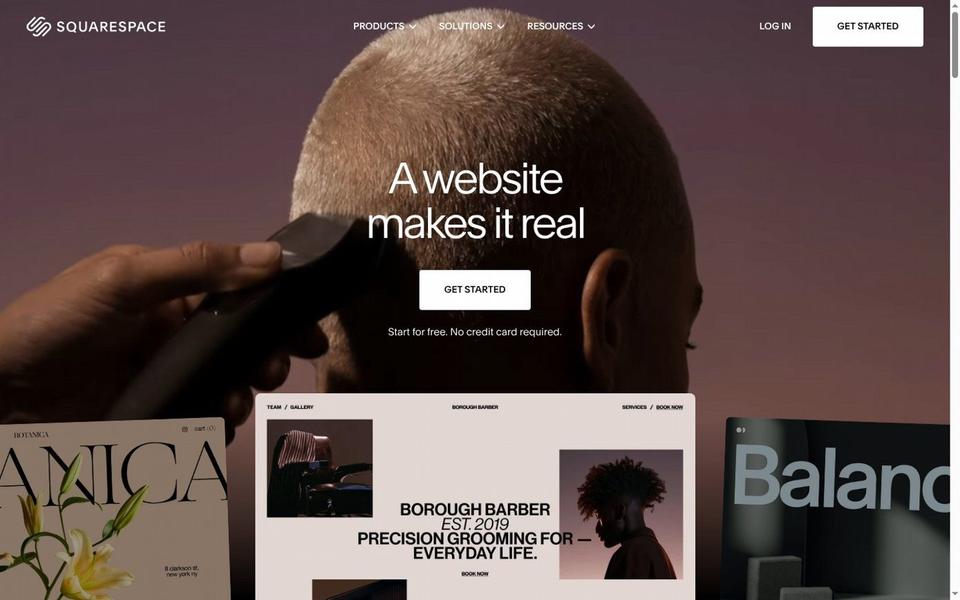
For shops, the useful detail sits in the plan table. The Squarespace pricing page lists three plans: Basic at $12 a month paid annually or $19 monthly, Core at $17 or $27, and Advanced at $25 or $36. Every plan can sell. Basic charges a 2% transaction fee on online sales and leaves out carrier-calculated shipping and automatic tax calculation; Core and Advanced drop the transaction fee to 0%, on top of normal card processing. AI credits come with each plan, from a one-time 10 on Basic to 120 a month on Advanced, and plans include an AI Visibility tool that tracks whether your brand shows up in AI search. There is no free plan, but every site starts with a 14-day free trial.
Pick this if looks matter as much as the products, your range is small, and you want an all-in-one tool that is hard to make ugly.
Skip this if you need a large catalog, complex variants or deep links into inventory and fulfilment tools.
4. Hostinger AI Builder
Hostinger's AI Builder has two modes. Manual mode generates a site from one prompt, then lets you fine-tune it with drag and drop and AI tools for logos, product descriptions and SEO. Agentic mode, which Hostinger also calls vibe coding, does the building and editing through a chat.
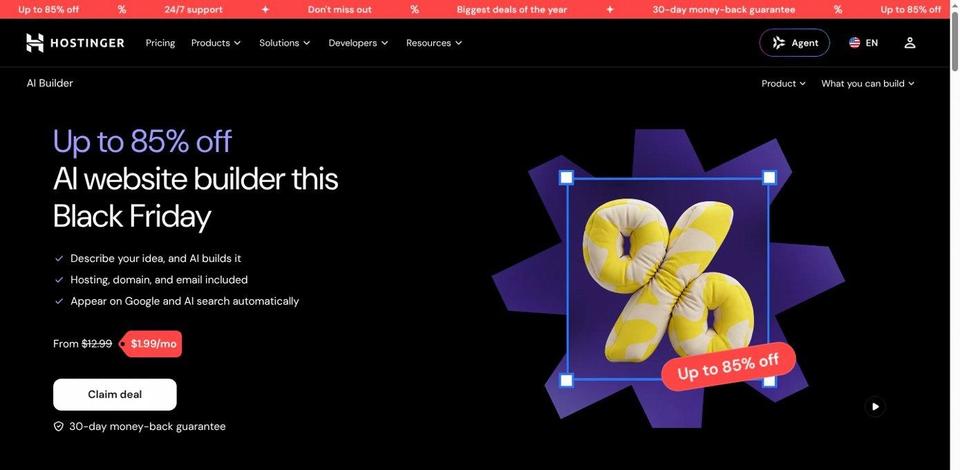
For stores, the same AI Builder page says Hostinger charges 0% transaction fees of its own, accepts more than 100 payment methods, and offers shipping and tracking with 40+ carriers including DHL, UPS and FedEx. Stripe can be connected as a third-party integration.
The low prices are the eye-catcher, and they come with conditions. During the current promotion on the Hostinger website builder page, Premium is $1.99 a month, Unlimited $2.79 and Cloud Startup $7.99. All three are paid upfront for 48 months (Premium is $95.52 in total) and renew at $10.99, $16.99 and $25.99 a month. The plan cards say ecommerce is available on Unlimited and Cloud Startup, while the comparison table lists ecommerce for Premium as "available at the checkout", so confirm what you get before you pick the cheapest box.
Pick this if you want a simple store at the lowest monthly figure and paying four years in advance suits you.
Skip this if you want the freedom to leave early, or a store that will grow past a simple catalog.
5. 10Web AI Ecommerce Builder
10Web is the most store-focused AI builder here after Shopify. It can start from a prompt, but the useful part is that it also starts from what you already sell: product photos, a link, your Instagram page or an Etsy shop. It then builds the store pages around those products.
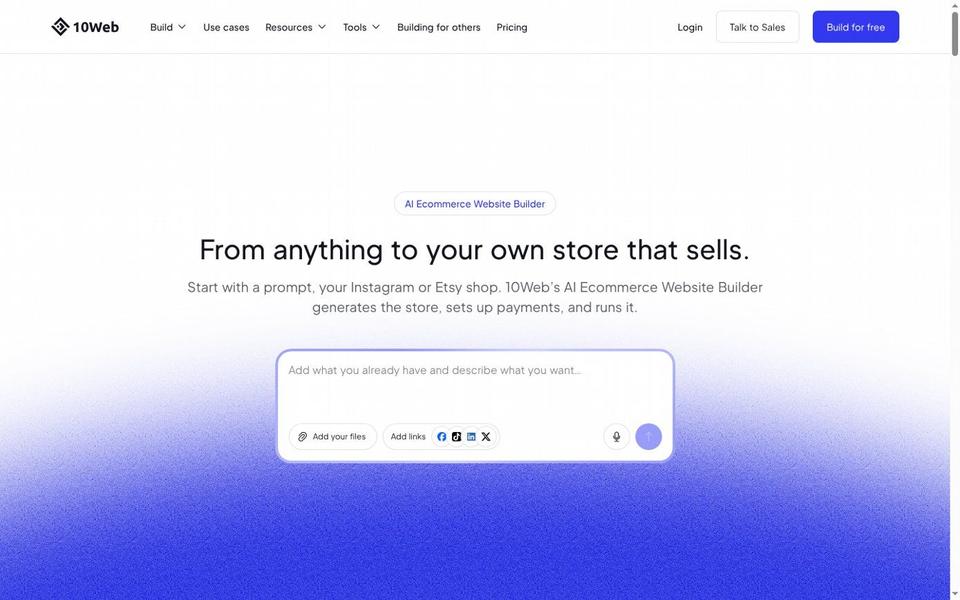
The store itself is fairly complete. 10Web lists one-page checkout, card, Apple Pay and Google Pay payments through your own Stripe account, shipping zones and live rates, VAT and sales tax, discounts, subscriptions, pre-orders, inventory and order management. Under the hood it runs on WordPress, which opens a large plugin ecosystem later.
A store runs on a free 10web.site trial link until you pick a plan. The 10Web pricing page lists AI Starter at $10 a month on a yearly subscription for one site, AI Premium at $15 for two sites and AI Ultimate at $22.50 for four. Monthly billing costs more.
Pick this if you already sell on Instagram or Etsy and want your own store without retyping every product.
Skip this if you would rather not deal with WordPress at all, or you need a large commerce app marketplace.
6. Webflow
Webflow's AI site builder turns a prompt into a working site plus a foundational design system that you then shape by hand. Webflow's AI page says access to its AI features depends on your workspace, site plan and add-ons.
Webflow Ecommerce is a real store, with Stripe, PayPal, Apple Pay and Google Pay, and automatic sales tax and VAT for the US, Canada, the EU and Australia. On the Webflow pricing page, ecommerce plans are priced per site and billed yearly. Standard is $29 a month for 500 items with a 2% transaction fee, Plus is $74 for 5,000 items with no fee, and Advanced is $212 for 15,000 items.
One gap stands out on that ecommerce page: customer accounts and order history are still marked as coming soon.
Pick this if you have a designer, care about pixel-level control, and sell a focused range alongside a lot of content.
Skip this if you want to launch this week without a designer, or your customers expect to log in and see past orders.
7. Lovable, with Shopify behind it
Lovable builds apps and websites from a chat, and it has the clearest store setup of the vibe-coding tools. Its Shopify integration docs explain that it either creates a new Shopify store for you or connects one you already have. Lovable builds the storefront; Shopify handles payments, inventory and logistics when you go live.
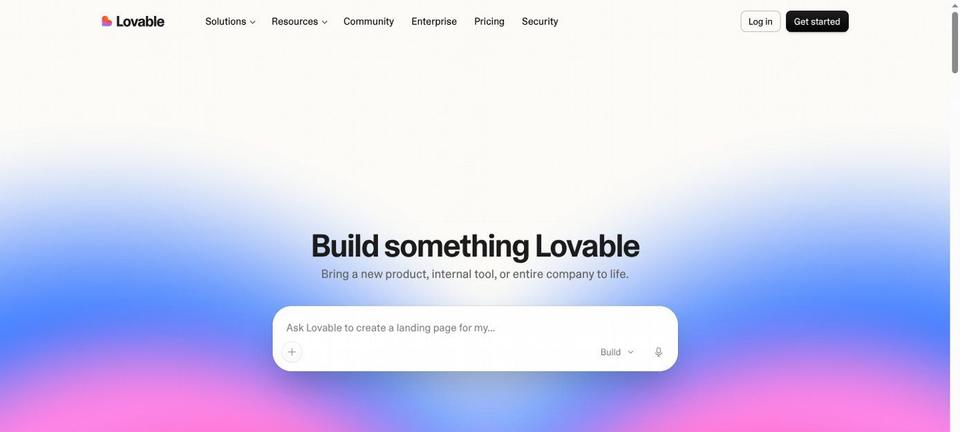
A new store starts as a free development store that cannot take real payments. Shopify removes development stores left unclaimed for 30 days. Claiming the store makes you the owner and starts a separate 120-day free trial on a Shopify subscription; after that you need a paid Shopify plan, and you must activate payments in Shopify before you can sell. The Lovable pricing page lists Pro at $25 a month with 100 monthly credits, with two months free on yearly billing.
Pick this if you want a storefront that looks nothing like a standard theme and you are happy to keep Shopify as the engine.
Skip this if reviewing and maintaining generated code does not appeal, because every change after launch is yours to test.
8. Bolt
Bolt turns a chat into a web app or website, and its plans include hosting and databases. Its Stripe integration supports one-time payments and subscription billing, including importing products and handling webhooks. We did not find an official Shopify integration in the Bolt docs we read.
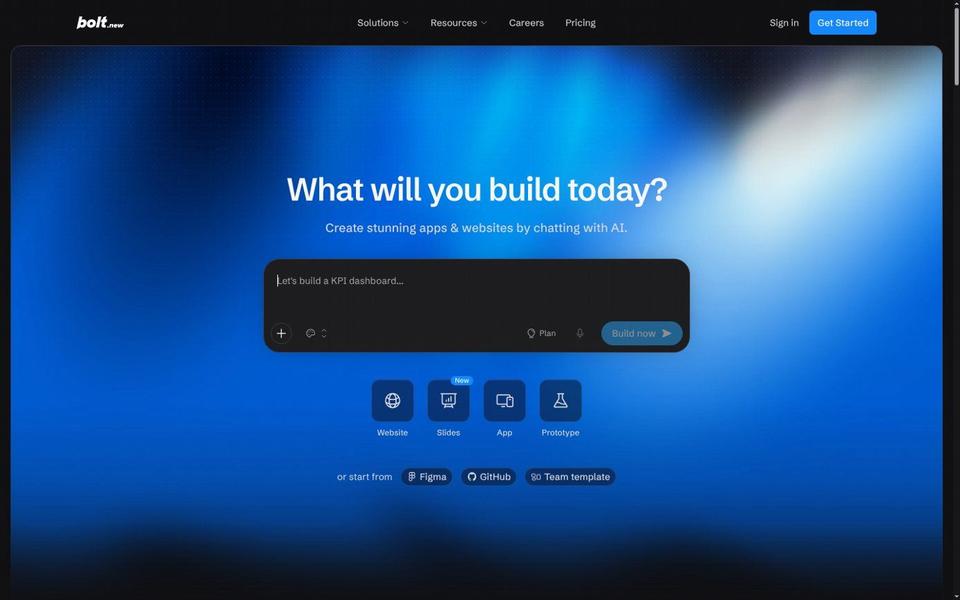
That makes Bolt a good fit for software, digital products and paid memberships, but a lot of work for a classic product store. The cart, stock levels, shipping rules and order emails would all be yours to build. The Bolt pricing page lists Pro at $25 a month billed monthly, with a saving of up to 28% on yearly billing.
Pick this if you are a developer or technical founder selling a digital product or subscription.
Skip this if you sell physical stock and want a store you do not have to engineer.
9. GoDaddy Airo AI Builder
GoDaddy's Airo AI Builder builds websites, web apps and online stores from a conversation and deploys them to GoDaddy hosting in one click. Stripe and other services can be connected by asking for them, and the code can be exported at any time.
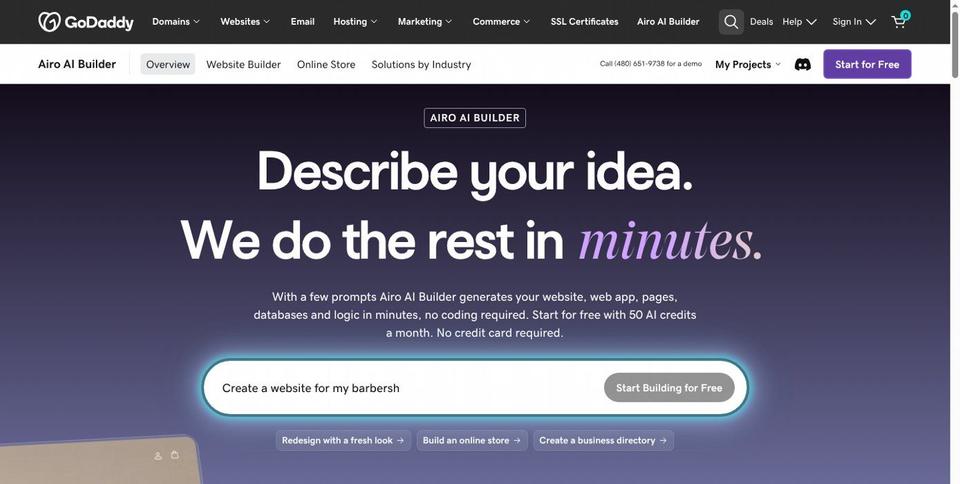
It is free to start with 50 AI credits a month and no card. The paid plans on that page are billed annually. Starter, at $9.99 a month, publishes one site and takes payments through shared links or QR codes. Professional, at $24.99 a month, is the store plan: GoDaddy lists online payments, a built-in product catalog, automatic sales tax and shipping rates you control.
Pick this if you want to test a store idea quickly and already use GoDaddy for your domain.
Skip this if you want a full store on the cheapest plan: Starter only takes payments through shared links or QR codes.
10. Framer
Framer is a design tool that publishes websites, and its AI agents now work on the canvas. Start from a prompt, then refine layouts, typography, components, breakpoints and effects, with every element still editable.

We did not find a built-in cart or checkout on Framer's pages. Selling goes through third-party plugins in its ecommerce plugin category, including ones that connect a Shopify store or Stripe. On the Framer pricing page, with yearly billing, Basic is $10 a month and Pro is $30.
Pick this if you need a striking launch page, brand site or campaign page, with selling handled somewhere else.
Skip this if the store is the main point of the site.
11. Durable
Durable sells itself as a complete AI business builder: a website in seconds, plus bookings, a CRM, reviews, an AI assistant and built-in payment processing. But the FAQ on its pricing page says Durable is not designed specifically to support ecommerce businesses, though it says some customers have built stores on it.
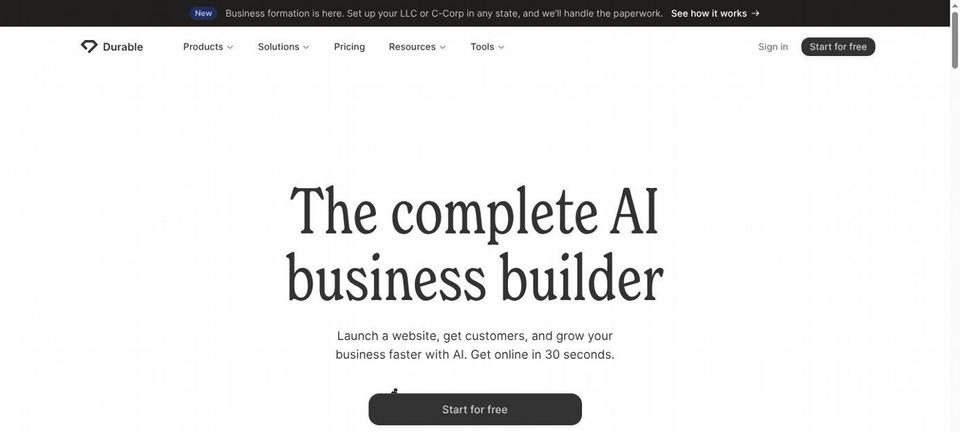
The Durable pricing page lists a free plan, then Launch at $25 a month and Grow at $49 billed monthly, or $22 and $41 billed yearly.
Pick this if you run a service business such as cleaning, coaching or photography and want leads and bookings, not a product catalog.
Skip this if you sell products. Use a builder with a proper store.
Quick comparison
| Tool | Who runs the checkout | Cheapest way to sell (USD) | Best for |
|---|---|---|---|
| Shopify | Shopify | Basic, $29/mo billed yearly | Stores that plan to grow |
| Wix | Wix | Core, $29/mo billed yearly | Small shops wanting one tool |
| Squarespace | Squarespace | Basic, $12/mo billed annually, plus a 2% fee | Design-led shops, small range |
| Hostinger | Hostinger | Unlimited, $2.79/mo on a 48-month promo term | Tight budgets, simple stores |
| 10Web | 10Web, with your Stripe account | AI Starter, $10/mo billed yearly | Sellers coming from Instagram or Etsy |
| Webflow | Webflow | Ecommerce Standard, $29/mo billed yearly | Brands with a designer |
| Lovable | Shopify | Pro $25/mo plus a Shopify plan | Custom storefronts on Shopify |
| Bolt | You, through Stripe | Pro $25/mo plus Stripe fees | Digital products and subscriptions |
| GoDaddy Airo | GoDaddy | Professional, $24.99/mo billed annually | Testing an idea fast |
| Framer | A third-party plugin | Basic $10/mo billed yearly plus a plugin | Launch and brand pages |
| Durable | Not built for stores | Launch, $25/mo billed monthly | Service businesses |
The table leaves out card processing fees, and some figures are promotions that will end.
Where AI builders stop for a store
Whichever tool wins, these jobs stay with the store owner. They are the difference between a site that looks like a shop and a shop that works.
- Real product data. Sizes, variants, materials, weights and barcodes have to be right, because filters, shipping and feeds all depend on them. For extra product fields, our guide to Shopify metafields shows how to structure them.
- Tax and shipping rules. An AI can lay out a shipping page. It cannot decide which countries you ship to, what rates you charge or which taxes you collect.
- Checkout testing. Place real test orders with each payment method, including a refund, before launch. Shopify's checkout documentation is a good reminder of how much happens at that step.
- Integrations. Inventory, fulfilment, accounting, email and reviews all need connecting and checking.
- Speed. Generated sections and big AI images can slow a store down. Our theme performance guide covers what to measure.
- Accessibility. Colour contrast, alt text and keyboard navigation are rarely right in a first draft. Our theme accessibility guide covers the basics.
- Your own words. AI product copy is a starting point. Customers notice when every description sounds the same.
When a store should use Shopify instead
An all-in-one builder is fine for a small shop. These are the signs a store has outgrown it, or soon will.
- More than a few dozen products with variants, now or soon.
- Selling in more than one country, currency or language.
- A need for wholesale pricing, subscriptions or a POS for in-person sales.
- Reliance on apps for reviews, bundles, loyalty or fulfilment.
- Wanting a platform that agencies and developers already know, so help is easy to find.
If that sounds familiar, our walkthrough on how to set up a Shopify store is a good next step, and our piece on AI for ecommerce covers what AI is useful for once the store is running.
How to choose
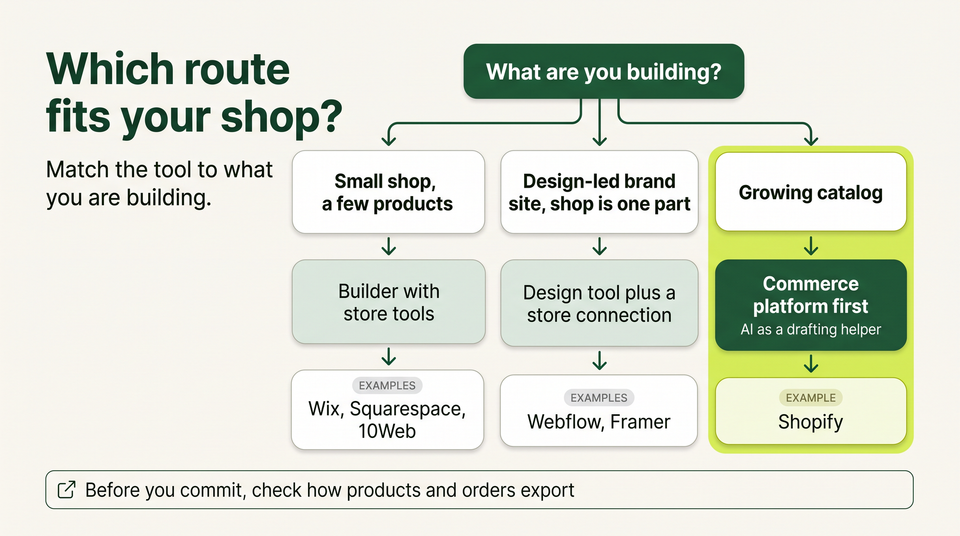
Four questions settle most decisions.
- How many products will there be in a year? A handful points to Wix, Squarespace or 10Web. Hundreds point to Shopify.
- Is the shop the main point of the site? If not, Framer, Webflow or Squarespace may suit better.
- Who will look after it? If nobody on the team writes code, keep the vibe-coding tools away from anything that takes money.
- What happens on leaving? Check how products, customers and orders export before building, not after.
FAQ
Can AI build a whole online store for me?
It can build the site and a working store on platforms like Shopify, Wix, Squarespace, Hostinger and 10Web. It cannot know your real products, prices, tax rules or shipping, so expect to spend most of your time on those, not on the design.
Which AI website builder is best for ecommerce?
For a store that will grow, Shopify. For a small shop that wants one simple tool, Wix or Squarespace. For sellers moving off Instagram or Etsy, 10Web is worth a look.
Are AI website builders free?
Most let you start for free, but taking payments or using your own domain needs a paid plan. Squarespace has no free plan, only a 14-day trial. Shopify's AI tools, Wix Harmony and Squarespace's Blueprint come with their plans.
Is Shopify's AI theme generator free?
Yes. It generates up to three personalised themes for free, but only from the Shopify mobile app or a mobile browser, and not on the Starter plan.
Can I move a store from an AI builder to Shopify later?
Usually, yes, but the data moves, not the design. Products, customers and orders can normally be exported and imported. Expect to rebuild the theme.
Will an AI-built store rank on Google?
It can, but not because AI built it. Rankings come from useful product pages, original descriptions, a fast site and good structure. Treat generated copy as a first draft.
Do AI builders handle sales tax and shipping?
The store platforms give you the tools, and some calculate tax automatically in certain regions or on certain plans. The decisions on where to ship, what to charge and which taxes to collect are still yours.
Should I use Bolt or Lovable for my store?
Only if owning code suits you. Lovable is the safer of the two for physical products, because Shopify runs the checkout and inventory behind it. Bolt suits digital products and subscriptions.
Need a hand?
If you would rather spend your time on products than on setup, talk to us. Shopify stores are our work, and we will tell you straight if a simpler builder is the better fit.