Best Upsell Apps for Shopify, and Where to Use Them
A plain guide to upsell, cross-sell and bundle tools for Shopify. We start with what Shopify gives you for free, compare eight apps with their current prices and ratings, show where each type of offer belongs, and cover checkout limits, speed, testing and fair-selling rules.


Free tools first, then one app per job
Generated by Ecompanda AI
Most stores can start with Shopify's free tools and add one app only for a job those tools cannot do. Where an offer appears on your store matters more than which app runs it.
- Shopify Bundles and Search & Discovery are free and cover fixed bundles and product page picks.
- Product page and cart offers run on every plan; offers inside checkout need Shopify Plus.
- Post-purchase offers work on all plans except Starter, are still in beta, and the app needs Shopify's approval for live stores.
- Add an app only for a named limit, such as mix-and-match bundles or quantity breaks.
- Test each offer against a holdout group that never sees it, and check page speed with the app off and on.
Most stores do not need five upsell apps. Start with Shopify's free tools, add one app for the one job they cannot do, and test it against a group of shoppers who never see the offer. This guide shows what the free tools cover, compares eight apps, and explains where each type of offer belongs and which checkout limits catch people out.
Upsell, cross-sell and bundle: what is what
These words get mixed up, and the tools are built around them.
- Upsell: offer a better or bigger version of what the shopper is already buying.
- Cross-sell: offer something that goes with it, such as a cleanser next to a moisturiser.
- Bundle: sell a set of products as one unit, often at a small discount.
- Quantity break: a lower price per unit when someone buys more of the same item.
- Post-purchase offer: a one-click extra shown after payment, added to the order that was just paid.
Each one belongs in a different place on your store. That matters more than which app you pick.
Start with what Shopify gives you
Shopify Bundles (free)
Shopify's own Bundles app is free. You create fixed bundles and multipacks from the Shopify admin, shoppers pick variants such as size or colour inside the bundle, and stock stays in sync so you do not oversell. Shopify's help pages say it works on all plans and that bundles sell on the Online Store, Shop and Shopify POS channels.
Its App Store rating is low: 2.9 from 571 reviews. Read the recent reviews before you rely on it, because the score tells you merchants hit its limits. Those limits are set out on Shopify's pages for Shopify Bundles and bundle eligibility:
- No mix-and-match bundles. For those you need a third-party app.
- No subscriptions, pre-orders or try-before-you-buy on a bundle.
- A bundle cannot contain another bundle, and there is no import, export or bulk editing.
- If a component's price changes, the bundle price does not follow. You update it by hand.
- Discounts must target the bundle product itself. Selecting only the component products does nothing.
- Your store needs an upgraded checkout. Stores with
checkout.liquidcustomisations cannot sell bundles.
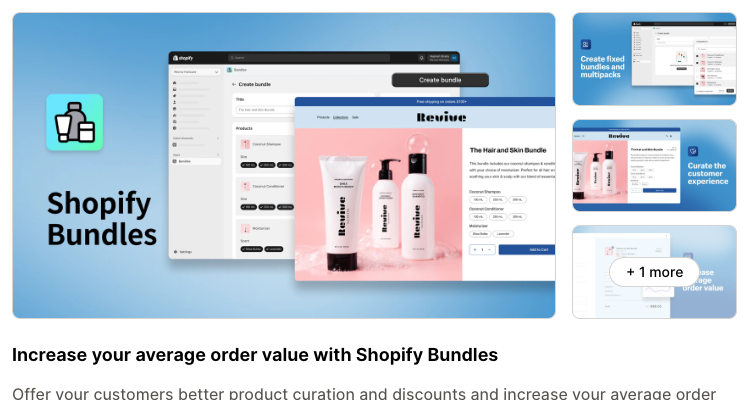
Pick this if you sell fixed sets or multipacks and want no monthly fee and no theme code. Skip it if shoppers should build their own box, you sell on subscription, or your prices change often.
Product recommendations in Search & Discovery (free)
Shopify's free Search & Discovery app adds related and complementary products to product pages. Its listing rating is also low, at 2.6 from 514 reviews, though that score covers the whole search app, not only recommendations. Shopify's help page on recommendations sets the rules:
- Your theme needs complementary products and product recommendations sections, added to the product page.
- You can pick up to 10 complementary and 10 related products per product, or let Shopify choose.
- A product will not show if it is sold out, unlisted, priced at zero, a gift card, unpublished, or already in the visitor's cart.
- Shopify advises picking add-ons that cost the same as the main product or less.
The listing talks about product detail pages. We did not find cart, checkout or post-purchase offers on it.
Pick this if your theme already has the sections and you want a free baseline. Skip it if you want offers in the cart or after payment, or want to test offers against each other.
Discounts
Shopify's built-in Buy X get Y discounts work as a simple cross-sell nudge, such as a free hat with any T-shirt. Two details matter. The free item is never added to the cart for the shopper, so they must add it themselves. And Buy X get Y discounts made in the admin do not apply on the post-purchase page.
Checkout and post-purchase tools for developers
Apps add offers to checkout through checkout extensions. Shopify's product offers page separates two kinds. Pre-purchase offers sit inside checkout. Post-purchase offers appear after the order is confirmed and before the Thank you page. The plan rules for both come later, because they decide what an app can really do for you.
Where each type of offer belongs
The same offer works or fails depending on where it shows. The advice below is our judgement about how shoppers move through a store. The plan limits come from Shopify's documentation.
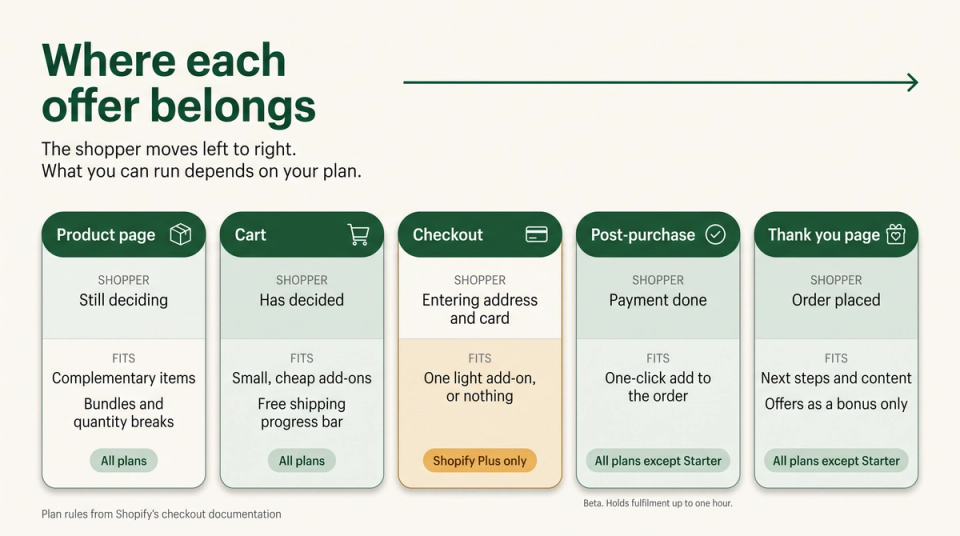
- Product page: the shopper is still deciding. Complementary items, bundles and quantity breaks fit here because they help the choice rather than interrupt it.
- Cart: the shopper has decided. Keep offers small and cheap, such as a travel size, a refill or a progress bar towards free shipping. Our guide to free shipping on Shopify covers how to set the threshold that bar points at.
- Checkout: the shopper is typing an address or a card number. Anything that adds steps or raises the total puts the sale at risk. One light add-on is the most we would try, and nothing is a fine answer.
- Post-purchase: payment is done, so the offer cannot cost you the order. It still has to be relevant and clearly priced.
- Thank you page: good for content and next steps. Treat any offer here as a bonus, not the plan.
Eight apps worth shortlisting
All eight listings show a Built for Shopify badge, which matters for speed, as the speed section explains. We describe what each listing says the app does, then give our view on who it suits. We did not install these apps on a live store, so we report no results. Prices and ratings are from each listing when this guide was last updated; check the listing before you install.
| App | Main job | Placements the listing names | Free option and starting price |
|---|---|---|---|
| One Click Upsell (Zipify) | All-round upsells, post-purchase first | Product page, cart, checkout (Plus), post-purchase, thank you | Development stores only; from $9.95 a month |
| ReConvert (Upsell.com) | All-round upsells with a real free plan | Product page, cart, checkout (Plus), post-purchase, thank you | Free up to 50 orders; paid from $9.99 a month |
| Aftersell (Rokt) | Post-purchase funnels and an AI cart | Cart, checkout (Plus), post-purchase, thank you | Development stores only; from $34.99 a month |
| Frequently Bought Together (Code Black Belt) | Bundle-style recommendations | Product and cart pages | 3 manual bundles free; paid from $9.99 a month |
| Candy Rack | Quantity breaks and a cart drawer | Product page, cart, checkout (Plus), post-purchase | Development stores only; from $29.99 a month |
| Upsell & Cross Sell (Aheadworks) | Recommendations in many places | Product, cart, checkout (Plus), order status, thank you, post-purchase | 2 locations free; paid from $29.99 a month |
| Easy Bundles (Skai Lama) | Mix-and-match and build-a-box bundles | Bundle builder (no placement list) | Free to $500 of bundle sales a month; paid from $29 |
| Also Bought (Code Black Belt) | Order-history recommendations | Product and cart pages | No free plan; $19.99 a month after a trial |
One Click Upsell (Zipify OCU)
The listing covers one-click post-purchase offers, product page offers, pre-purchase offers, a slide cart, checkout offers on Shopify Plus and thank you page offers. It also lists A/B testing, targeting by product, cart value and customer tags, and AI-picked offers. Merchants rate it 4.6 from 578 reviews.
Its price follows the upsell revenue the app brings in, not your order count. It is $9.95 a month while that revenue stays under $200, then $25 to $99 a month up to $2,500, and from $149 a month above that, capped at $999. There is a 30-day free trial. The free plan is only for development and partner stores.
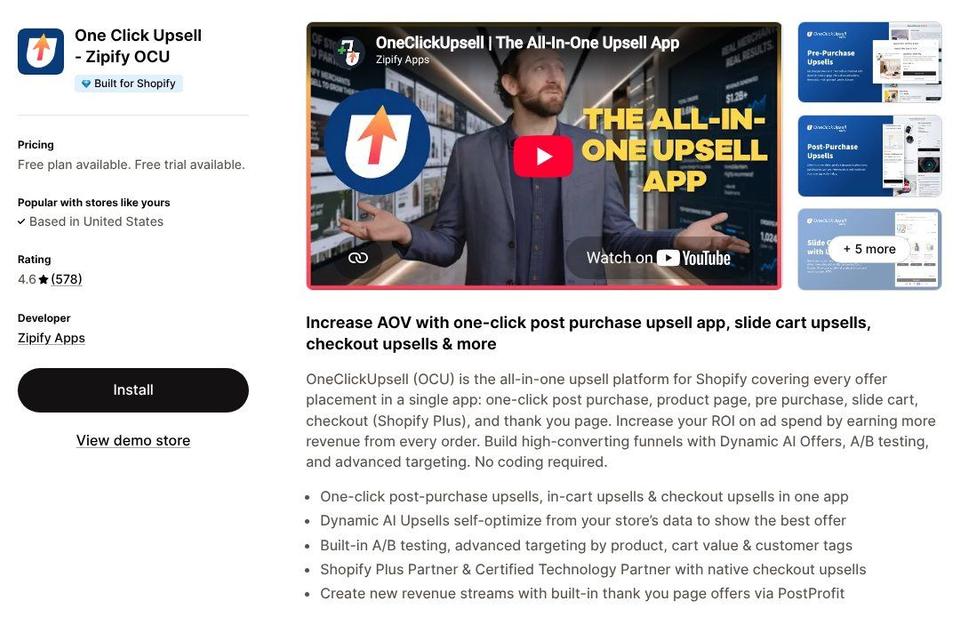
Pick this if you want post-purchase, cart and product page offers with testing in one tool, and like paying in line with what the app earns. Skip it if you only need a simple bundle block. A broad app means more settings and more places for offers to pile up.
ReConvert (now Upsell.com)
ReConvert is on the App Store. The listing still carries the ReConvert name, but the developer now trades as Upsell.com. It names offers on the product page, cart, checkout and thank you page, plus one-click post-purchase funnels. It says checkout upsells need Shopify Plus, and that it works with Shopify Subscriptions. It is rated 4.8 from 3,132 reviews, the most of any app here.
The free plan covers up to 50 orders or $50 of upsell revenue. Paid plans follow store orders: $9.99 a month for 51 to 100, $19.99 for up to 200 and $39.99 for up to 500, each with a 14-day free trial.
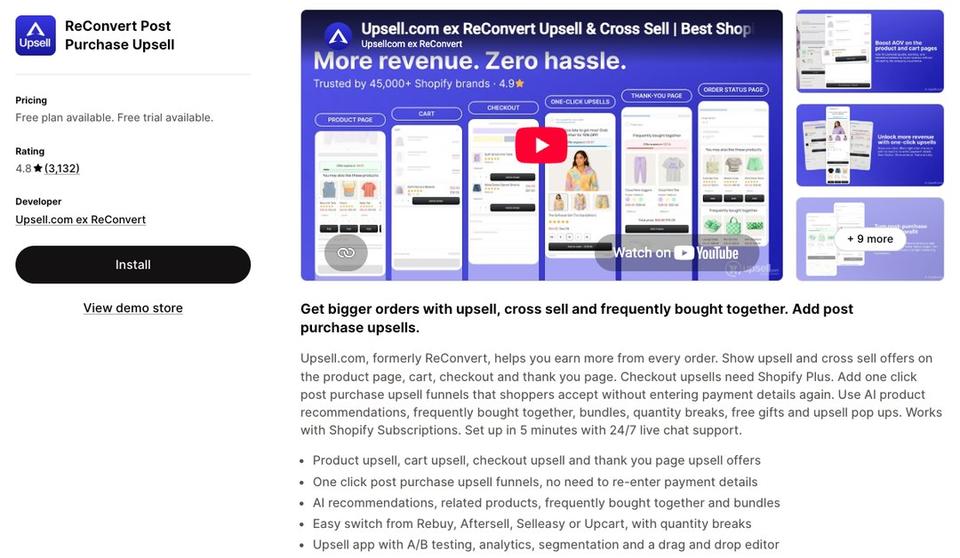
Pick this if you want a broad upsell app you can try on a live store for free before paying. Skip it if you already run another cart or post-purchase app. Two apps on the same placement can clash.
Aftersell (Rokt)
Aftersell is on the App Store too. The listing names Rokt as the developer. It covers one-click post-purchase upsells and downsells, an AI cart with 18 or more building blocks, thank you page offers, and checkout upsells on Shopify Plus. Its rating is 4.9 from 1,120 reviews.
Plans are split by job. Post-Purchase is $34.99 a month, Pre-Purchase (the cart tools) is $59.99, and Complete is $79.99. Each has a 30-day free trial, and the free plan is only for development and partner stores. The listing also offers Rokt Thanks, which shows other companies' offers on your confirmation page and pays you per order. Those are third-party offers to your customer, so read the US rules near the end first.
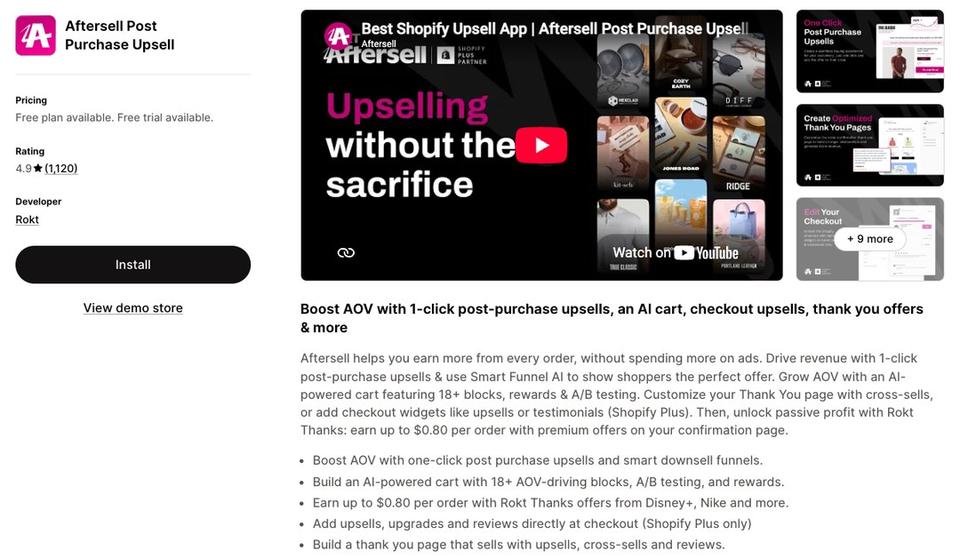
Pick this if post-purchase offers are your main job and you want downsell paths when a shopper says no. Skip it if you want product page bundles, or you do not want other brands' offers in front of your customers.
Frequently Bought Together (Code Black Belt)
The listing is about the familiar "bought together" block. It offers AI or manual recommendations with one-click add to cart, four discount types (percentage, fixed, free item or free shipping) and star ratings from several review apps. Its paid plans name a widget for product and cart pages.
With 4.9 stars from 1,214 reviews, it is one of the best rated here. The free plan allows three manual bundles. Paid plans run from $9.99 to $39.99 a month by order count, each with a 14-day free trial.
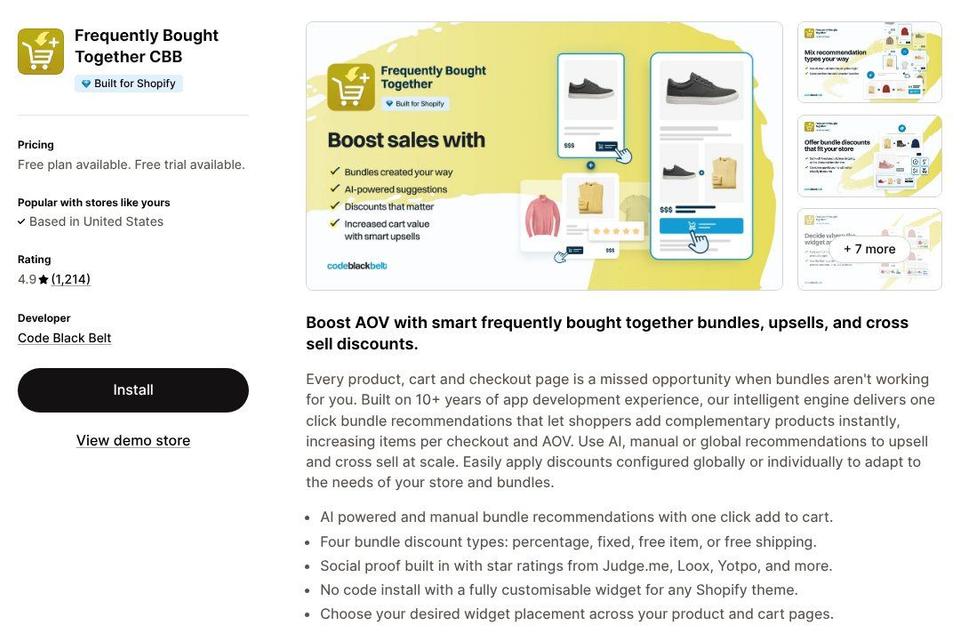
Pick this if you want a classic bundle-with-discount block on product pages and nothing more. Skip it if you want post-purchase offers or a build-your-own-box builder.
Candy Rack
The listing names offers in eight placements, including product page, cart, checkout and post-purchase. It adds volume bundles and quantity breaks, an AI mode that can use Google Gemini to pick products, A/B testing through Intelligems, and a built-in cart drawer with a rewards bar. Its 4.9 rating rests on a smaller base of 268 reviews.
Plans follow monthly online store orders: $29.99 for up to 50, $39.99 for up to 200 and $59.99 for up to 500, each with an 8-day free trial. The free tier is only for trial and development stores, so a live store pays once the trial ends.
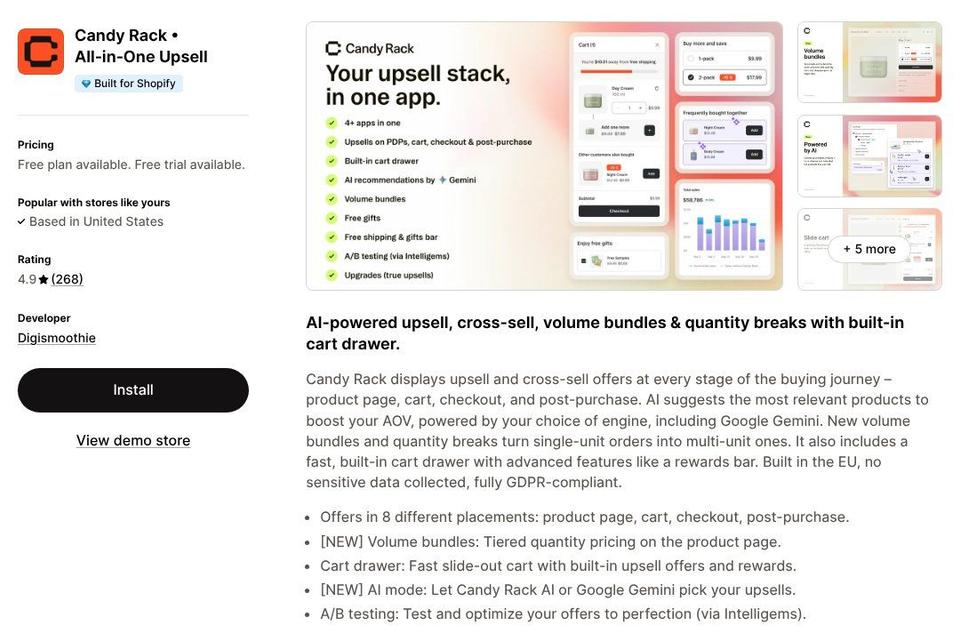
Pick this if you want quantity breaks and cart offers from one app and are happy to use its cart drawer. Skip it if your theme's cart drawer is heavily customised or another app already runs your cart.
Upsell & Cross Sell (Aheadworks)
The listing names eight places for offers, among them product pages, cart, checkout, order status, thank you and post-purchase pages. It also lists frequently bought together blocks, bundles and quantity breaks. Rated 4.8 from 486 reviews, it has been on the App Store since 2015.
The free plan gives you two locations and 50 recommendation clicks a month, with the app's branding shown. Paid plans start at $29.99 a month for three locations, and you need the $49.99 plan for all eight. Each paid plan has a 14-day free trial.
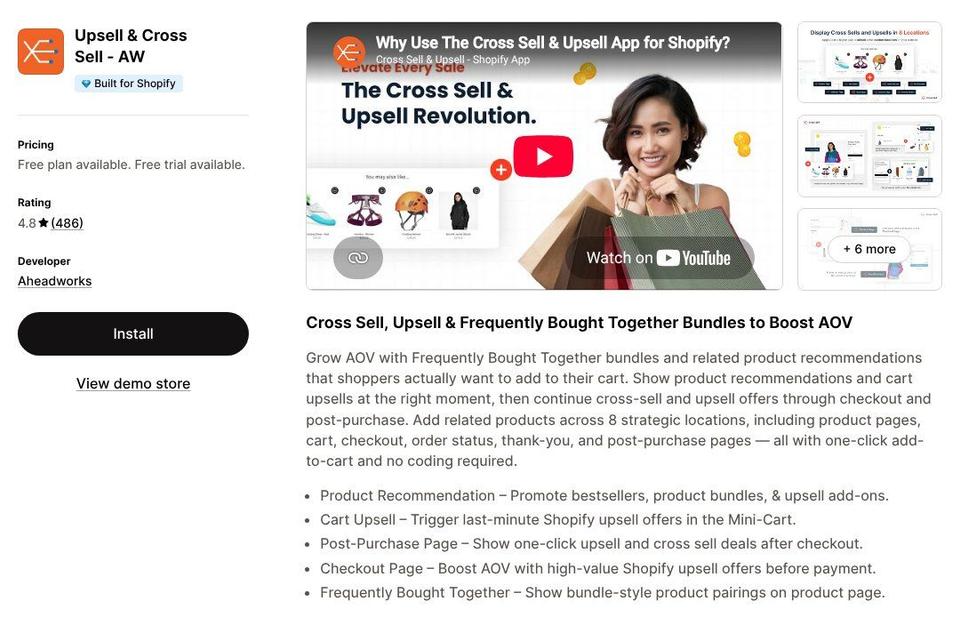
Pick this if you want recommendations in many places, including the order status page. Skip it if you want one simple block. Eight places is a lot of ways to annoy a shopper.
Easy Bundles (Skai Lama)
The listing covers fixed-price bundles, mix and match, build a box, tiered discounts, subscription bundles, free gifts, inventory sync with 3PLs and POS selling. Merchants give it 4.9 from 1,513 reviews.
The free plan covers up to $500 of bundle sales a month. Essential is $29 a month for up to $3,000, and subscription bundles start on the $49 Growth plan. Paid plans have a 15-day free trial. The listing says the Free and Essential plans do not apply to stores on Shopify Plus or Advanced.
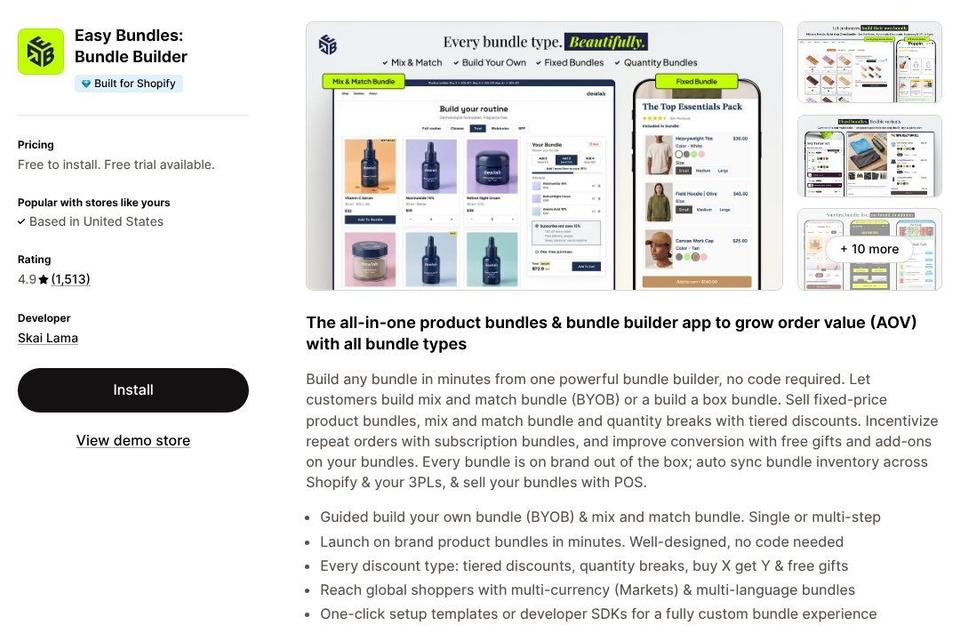
Pick this if shoppers should build their own set, which Shopify's free app cannot do. Skip it if a fixed multipack is enough, or you are on Advanced or Plus and were counting on the free plan.
Also Bought (Code Black Belt)
The listing describes a "customers who bought this also bought" engine that learns from your order history. It shows on product and cart pages, with automatic, manual, last-seen and collection-based recommendation types. It is rated 4.8 from 372 reviews.
There is no free plan, only one paid plan at $19.99 a month or $199.90 a year. It comes with a 14-day free trial and no limits on products, orders or traffic.
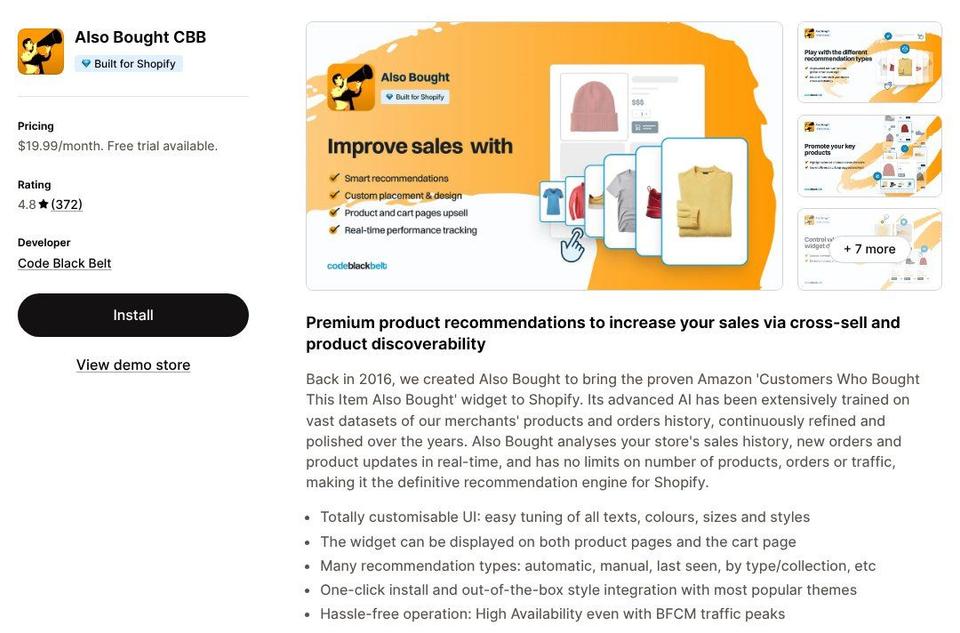
Pick this if you have enough order history for the engine to learn from and want recommendations rather than bundles. Skip it if your catalogue is small or new, or you want bundle discounts and post-purchase offers.
Names we left out
Rebuy is well known, but its App Store page still says the app is not currently available on the Shopify App Store and points support questions to Rebuy directly. It may be sold another way. We did not look into that, so it is not on this list. If you already use it, ask the vendor how your install is supported.
Checkout extensibility: the limits that catch people out
These limits decide what an app can do on your plan, so read them before you pick one. Everything here comes from Shopify's checkout technologies page, its product offers page and its checkout overview.
- Offers inside checkout are a Plus feature. Checkout UI extensions on the information, shipping and payment steps are only for stores on Shopify Plus. OCU, ReConvert and Aftersell say so on their listings. If any app lists checkout offers and you are not on Plus, expect that part not to work.
- Thank you and order status extensions are available on all plans except Shopify Starter.
- Post-purchase extensions are still in beta. They run freely on a development store, but a live store needs the developer to request access. They are available on all plans except Starter.
- The old way is gone.
checkout.liquidis unsupported on the information, shipping and payment steps. On the Thank you and order status pages it ended on 28 August 2025. Script tags on those pages ended for non-Plus stores on 26 August 2026. An older upsell app built on either no longer works. - Shopify Scripts are switched off. Shopify's Scripts help page says Scripts were deprecated on 30 June 2026 and any still published were deactivated. Discounts that ran as Scripts need rebuilding with Shopify Functions.
- Post-purchase offers hold fulfilment. Shopify holds fulfilment on orders in a post-purchase flow. The hold ends when the customer reaches the order status page, or one hour after checkout if they never finish. Tell your warehouse team.
- Shopify's bundles and subscriptions do not mix. If you run subscriptions, see our guide to subscription apps.
If your checkout still carries old customisations, upgrading it is the first job, before any upsell app. You can get in touch if you want a second pair of eyes before you change a live checkout.
The speed cost
Every upsell app adds scripts, and scripts cost speed. We have not measured these apps, so we do not rank them on it. Here is what the sources say.
Shopify's Built for Shopify requirements say an app must not lower a storefront's Lighthouse performance score by more than ten points. That is a ceiling, not a promise of no impact. Ten points off a store that scored 70 is a real drop.
Shopify's documentation on theme app extensions says app embed blocks can load scripts only on specific pages. An app that loads everywhere for an offer that shows on one page is worth questioning.
A simple routine before you commit:
- Test your product page and cart with the app off. Note the scores and how the page feels.
- Install the app, set up one offer, and test the same pages again.
- Compare. If the loss is large, ask the vendor which scripts load where, or choose another app.
- Remove old apps fully, then check that no leftover code stays in your theme.
Our theme performance guide covers how to measure and fix this properly.
How to know if an offer works
App dashboards report "revenue from upsells". That figure counts orders the shopper might have made anyway. It does not tell you what the offer added.
- Use a holdout. Show the offer to most visitors and hide it from a random group. Compare the two groups, not this month against last month, because sales, ads and seasons muddy a before-and-after view.
- Judge more than order value. Average order value can rise while conversion falls. Look at revenue per visitor, conversion rate, refunds and returns, and profit after the discount.
- Change one thing at a time. With two new offers at once, you cannot tell which one did it.
- Run it long enough. Cover full weeks, and wait for a decent number of orders in each group before you call a result.
- Use the app's testing tool if it has one. OCU, ReConvert, Aftersell and Candy Rack all list A/B testing, and Candy Rack names Intelligems for it. Check how the split works before you trust the numbers.
A test that shows no gain is still useful. You save the app fee and keep a cleaner store.
Keep your offers fair
Pushy upsells win a sale and lose a customer. In some places they also break the law. This is general information, not legal advice. Ask a lawyer if you sell into the UK, EU or US at scale.
UK. Under regulation 40 of the Consumer Contracts Regulations 2013, an extra payment is only due if the shopper gave express consent before the contract bound them. Consent does not count if it is inferred from a default option they left alone, such as a pre-ticked box. The CMA's guidance on unfair commercial practices under the Digital Markets, Competition and Consumers Act 2024 bans falsely claiming an offer is only available for a limited time. Its example is a countdown clock that restarts when it runs out. The guidance also notes the Act's more detailed rules on drip pricing, where fees appear only as the shopper moves through the purchase. The CMA's earlier paper on online choice architecture explains how design can steer shoppers against their interest.
US. The Restore Online Shoppers' Confidence Act covers some of this. If an offer signs the shopper up to a recurring charge, section 8403 requires clear disclosure of the terms before you take billing details, express informed consent, and a simple way to stop the charges. If a third party sells to your customer right after checkout, as with partner offers on a confirmation page, section 8402 adds more rules.
In practice:
- No pre-ticked boxes for add-ons.
- A decline button as easy to see and press as the accept button.
- The price, quantity and any recurring charge shown plainly on the offer.
- No fake countdowns, fake stock warnings or made-up "other people are viewing this".
- Offers that make sense for what is in the basket.
How to choose
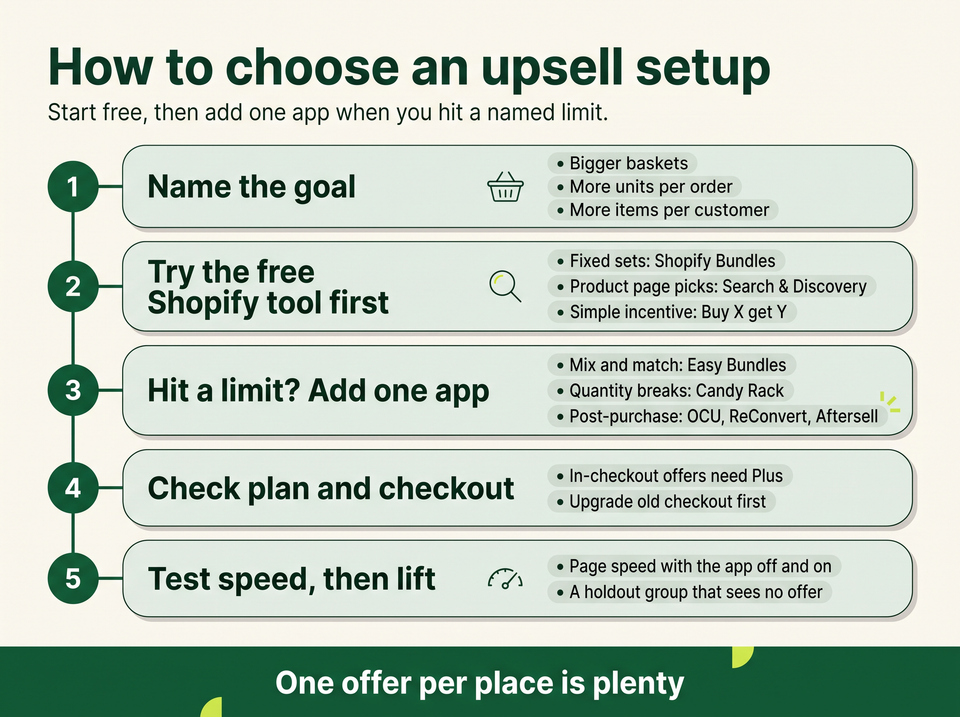
A short path through it:
- Name the goal. Bigger baskets, more units per order, or more items per customer? Each points to a different tool.
- Try the free tool first. Shopify Bundles for fixed sets. Search & Discovery for product page recommendations. A Buy X get Y discount for a simple incentive.
- Add one app for the gap. Mix-and-match points to Easy Bundles. Quantity breaks and cart offers point to Candy Rack. Post-purchase offers point to OCU, ReConvert or Aftersell.
- Check your plan and checkout. Plus-only features and old checkout customisations are the limits most easily missed.
- Test for speed, then for lift. Compare the pages with and without the app, then run the holdout.
- Keep it small. One offer per place is plenty.
Common questions
Do I need a paid upsell app?
Not at first. Shopify Bundles and Search & Discovery are free. Move to an app when you can name a job they cannot do, such as mix-and-match bundles, quantity breaks or post-purchase offers.
Which upsell app has a free plan for a live store?
Of the eight here, ReConvert, Frequently Bought Together, Aheadworks and Easy Bundles list a free plan with limits. OCU, Aftersell and Candy Rack keep their free tier for development stores, and Also Bought has only a trial.
Can I run post-purchase offers on any Shopify plan?
Shopify lists post-purchase extensions for all plans except Starter. They are still in beta, and the app developer must request access before they run on a live store. Ask the vendor whether your store is covered.
Do checkout upsells work without Shopify Plus?
Offers inside the information, shipping and payment steps need Plus. Thank you page and post-purchase placements do not, within the limits above. Cart and product page offers run in your theme, so they do not depend on your plan.
Is Rebuy still on the Shopify App Store?
Not at the moment. Its listing says the app is not currently available on the App Store and sends support questions to Rebuy. ReConvert and Aftersell are both listed.
Will an upsell app slow my store?
It can. Built for Shopify apps may cost up to ten Lighthouse points, and that is still a loss. Test your pages with the app off and on, and remove apps you no longer use.
Can I sell bundles and subscriptions together?
Not with Shopify's own bundles, which exclude subscriptions, pre-orders and try-before-you-buy. Easy Bundles lists subscription bundles on its Growth plan, so check the listing and ask the vendor how it works with your subscription app.
How many offers should I run?
Start with one in one place, test it, then decide on the next. When the product page, cart drawer and thank you page all push something, the shopper stops looking at any of them.