Best Shopify Subscription Apps: What Works Natively and What to Add
How subscriptions work on Shopify, what checkout and customer accounts support, the payment gateway rule, and eight subscription apps compared on price, ratings, portals, failed payments, migration and themes.


Start with Shopify's free app, switch when you outgrow it
Generated by Ecompanda AI
Shopify builds subscriptions into checkout, but an app creates the plans, manages subscriptions and charges each renewal. Shopify Subscriptions is free and fits simple subscribe and save products on a supported gateway.
- Check your gateway first: Shopify Payments, PayPal Express, Authorize.net, Adyen and, for select merchants, Stripe.
- Bundles or build-a-box need a third-party app.
- Moving existing subscribers? Choose the migration path before the app.
- Retrying failed payments is the app's job, so compare retries and cancel flows.
- Run one full cycle on a development store with your real theme before you pay.
Shopify has subscriptions built into checkout, but it does not run them for you. You need an app to create the plans, run the customer portal and charge each renewal. Our answer: start with Shopify's own free Subscriptions app if you sell simple "subscribe and save" products on a supported payment gateway. Move to a third-party app when you need bundles, stronger retention tools or help moving existing subscribers.
This guide covers how subscriptions work on Shopify, what checkout and customer accounts do with them, the gateway rule that catches many stores out, and eight apps with their prices and ratings. We read Shopify's docs and each app's own App Store listing. We did not install or load-test these apps, so treat our "pick this if" lines as a reading of the listings and confirm the details in a demo on your own theme.
How subscriptions work on Shopify
Shopify models a subscription in layers. Once you know the layers, every app listing is easier to read.
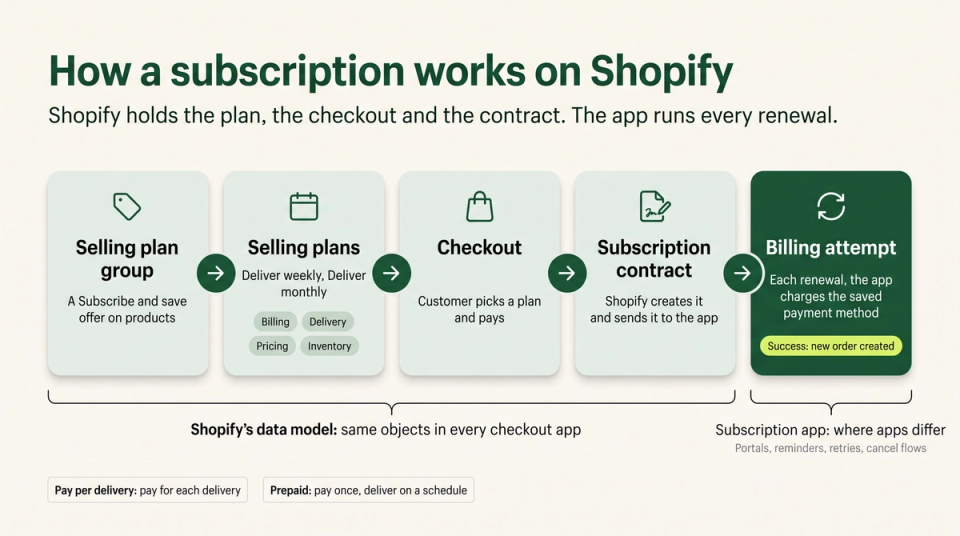
- Selling plan group. A named offer such as "Subscribe and save", attached to products or variants.
- Selling plans. Inside a group, each plan is one way to buy: "Deliver weekly", "Deliver monthly". Every plan sets four policies: billing, delivery, pricing and inventory. Shopify's selling plan docs describe this model.
- Checkout. The customer picks a plan and pays in Shopify checkout. Shopify's purchase option principles put checkout at the centre, so apps that follow them share it.
- Subscription contract. After the purchase, Shopify creates a contract and sends it to the app.
- Billing attempt. On each renewal, the app asks Shopify to charge the saved payment method. If the charge works, a new order is created.
Shopify's subscription overview names two common shapes. Pay-per-delivery, also called "subscribe and save", charges for each delivery. Prepaid takes one payment upfront and delivers on a schedule until the order is fulfilled.
Steps 1 to 4 use the same Shopify objects in every app that uses checkout, but each app creates its own plans and owns its contracts. Apps differ most in step 5 and what surrounds it: portals, reminders, retries and cancel flows.
One rule from the same docs matters if you planned a quick private build. Custom apps created in the Shopify admin cannot use subscriptions. A one-store build has to be made in the Dev Dashboard instead.
What checkout and customer accounts support
Shopify's help centre lists the limits that apply to subscription products. These are the ones that change real decisions:
- Subscriptions work on the online store, Shopify POS, Shop and custom storefront channels.
- Draft orders can now hold recurring and prepaid subscriptions. To complete one, you send the customer an invoice or a checkout link. Shopify says marking these drafts as paid, or taking a card on them, is "coming soon".
- Subscription-only products, with no one-time option, can be sold only on the Online Store channel.
- Automatic discounts can apply to every subscription order. Shopify Scripts that discount subscription costs or shipping apply only to the first payment, and so do gift cards.
- The order edits API does not support subscriptions.
- Customers are billed the day after the subscription is due, at 10:00 am in your store's local time.
- If a customer deletes a card from their Shop Pay account, subscriptions linked to that card keep running until the customer cancels them.
Checkout shows the delivery frequency, a first-shipment section and a recurring-payments section, plus a subscription disclosure. The same help page splits that disclosure into labels. Only Shopify Plus stores can edit the agreement label and consent text. Every plan can edit the cancel text and cancellation instructions, and no plan can remove the disclosure. One recent change to check: the old "Purchase options agreement label" no longer supplies the subscription wording, and custom text in it does not carry over. If you edited it, move your wording into the new subscription labels and have your legal reviewer read it again. Our guide to Shopify vs Shopify Plus covers what else the Plus plan changes.
For customers, Shopify says subscribers sign in to their customer account to view and manage one-time and subscription purchases. With the first-party app they can resume, skip or cancel, and manage payment methods and shipping address.
Third-party apps have a floor too. Shopify's App Store requirements for purchase option apps (section 5.4) say buyers must be able to change their payment method, reach the app's portal through Shopify's customer account with a single login, and cancel or clearly see how to cancel. The portal must list every subscription with its products, frequency, price and schedule, and the app must link to it from the order status page and a post-purchase email. So "has a customer portal" does not separate listed apps. What the portal lets people do, and how it looks, does.
The payment gateway rule
This rule quietly decides which apps you can use. Shopify's help centre says your store must use a supported gateway, and that third-party subscription apps work with:
- Shopify Payments
- PayPal Express
- Authorize.net
- Adyen
- Stripe
Availability depends on your region and the gateway's terms. The same page adds limits worth reading before you choose:
- Shopify Payments supports automatic card updates, which cut failed payments when cards are replaced. Customers can use accelerated checkouts such as Shop Pay, Apple Pay, Google Pay or PayPal, but some stores get only Shop Pay, and Apple Pay for subscriptions is limited to Visa and Mastercard.
- PayPal Express lets customers pay with PayPal, but third-party transaction fees apply if Shopify Payments is not active on the store.
- Authorize.net offers PayPal as the only wallet. Google Pay and Apple Pay are not supported.
- Adyen works through checkout-integrated subscription apps, but its payment app is limited to organisations with existing Adyen approval, and not every Adyen payment method supports recurring billing.
- Stripe is available only to select merchants.
- Local, manual or non-card payment methods might not be available for subscriptions.
- On a gateway other than Shopify Payments, customers may have to update expired cards by hand. Shopify advises asking your gateway whether card updates arrive automatically.
If cash on delivery, bank transfer or a local wallet is your main payment method, check this list before anything else. No app listing will change it.
The free Shopify Subscriptions app
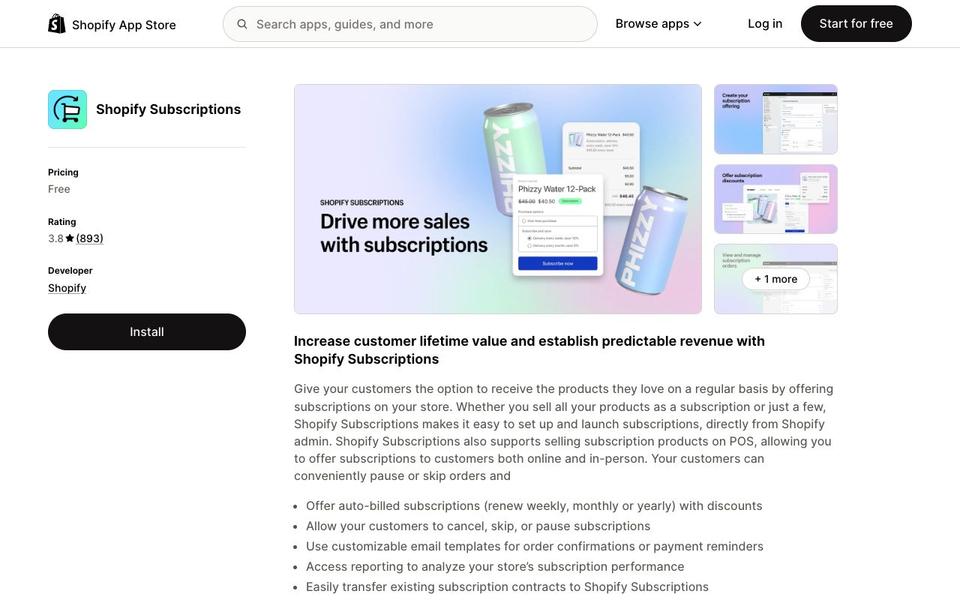
Shopify's own app, listed as Shopify Subscriptions, is the baseline. The help centre says it lets you:
- Create auto-billed subscriptions that renew weekly, monthly or yearly.
- Change, skip, pause and cancel plans and contracts.
- Apply dollar-amount, percentage, buy X get Y or fixed-amount discounts.
- Show a subscription widget on the online store, and subscription details on product, cart and thank-you pages.
- Send email notifications and view analytics on active, paused and cancelled subscriptions.
It also works on POS and costs nothing. Its rating is the weakest in this guide: 3.8 from 893 reviews, and the listing's review breakdown shows 19% of them at one star.
Its limits are why people look elsewhere:
- Bundles. Shopify's help centre says bundles are not compatible with the app.
- Themes. Your theme must support sections and blocks. Shopify lists any Online Store 2.0 theme built by Shopify, the Horizon family, Debut from version 15.0 and Brooklyn from version 17.0. On an older or heavily modified theme, read our guide to Online Store 2.0 features and ask your theme developer first.
- Admin access. Staff need a role with the apps and sales channels permission.
- Merchant feedback. Recent reviews ask to move a due date, charge every customer on one fixed date, edit the products inside a subscription, and recalculate shipping on renewals so free-shipping thresholds still apply. That is user feedback, not a confirmed gap list, but it makes a good list of things to test.
Pick this if: you sell a handful of consumable products, offer a simple discount for subscribing, run on a supported gateway and want everything inside the Shopify admin. Skip this if: you sell bundles or boxes, need flexible billing dates, or want cancel-save flows and a branded portal.
The third-party apps we looked at
These are the apps we opened on their App Store listings. The listings are the vendors' own words, so read each claim as "what they say they do". Prices and ratings come from each listing when this guide was last updated. Both change often, so check the listing before you install.
Recharge
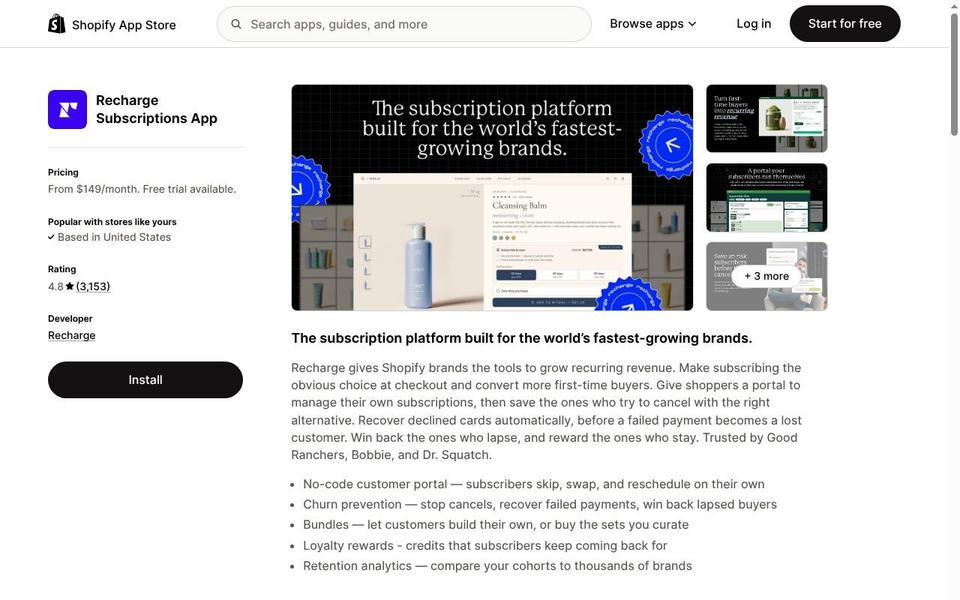
Recharge is the oldest app here: its listing shows a 2014 launch. It leads with a no-code customer portal, cancel prevention, failed payment recovery, bundles, loyalty and analytics, and it lists checkout, customer accounts and POS support.
On the Recharge listing, the Starter plan costs $149 a month plus 1.50% + 20¢ per transaction, with a 60-day free trial. Scale is $499 a month plus 1.25% + 20¢. It is rated 4.8 from 3,153 reviews.
Pick this if: you run a large or fast-growing subscription programme and want one platform for portal, cancel saves and payment recovery. Skip this if: you need customisable bundles, hands-on implementation or the storefront API but do not want the $499 Scale plan, because the listing puts all three there. Both plans add a per-transaction fee, so add it up for your volume.
Skio
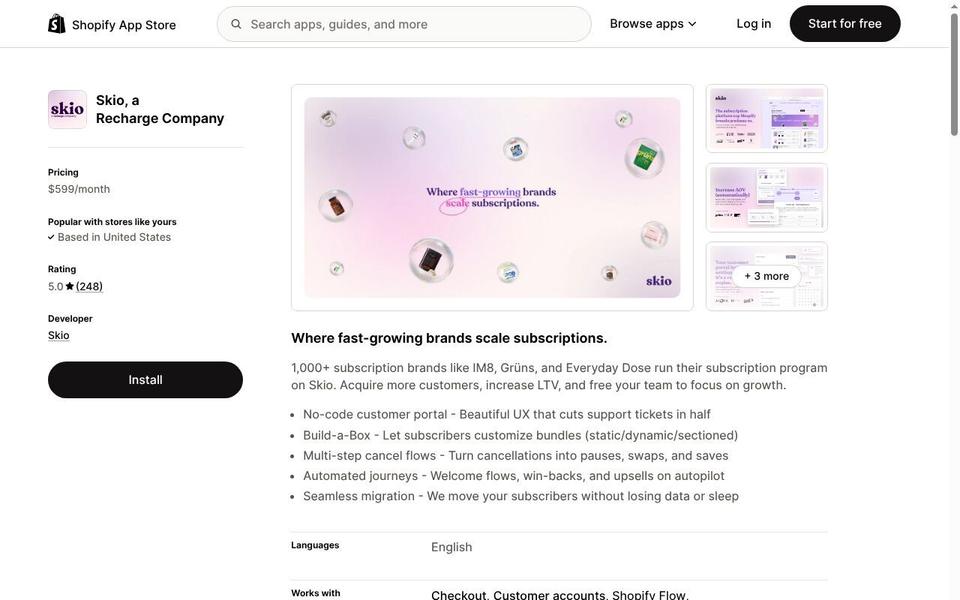
The Skio listing now carries the name "Skio, a Recharge Company". It lists a no-code portal, build-a-box, multi-step cancel flows, automated journeys such as win-backs and upsells, and a migration service that "moves your subscribers".
Its one Scale plan is $599 a month (or $5,988 a year) plus 1.25% + 20¢ per transaction, according to the Skio listing. No free plan or trial is shown. It is rated 5.0 from 248 reviews.
Pick this if: you want a retention-heavy setup and a vendor-led migration, and your volume justifies the highest entry price in this guide. Skip this if: you want to compare two independent roadmaps. The two biggest names now sit under one company on the listing, so ask each sales team how they position the products today.
Loop
Loop lists a free plan, a mobile-friendly portal, cancel flows and offers, fixed and build-your-own bundles, workflow automation, and dunning with up to 15 retries on paid plans. Checkout and customer accounts are listed.
Loop's listing shows a free plan for 50 active subscriptions. Starter is $99 a month plus 1.0% per transaction, and Pro is $399 a month plus 0.75%, both with a 14-day trial. It is rated 5.0 from 809 reviews.
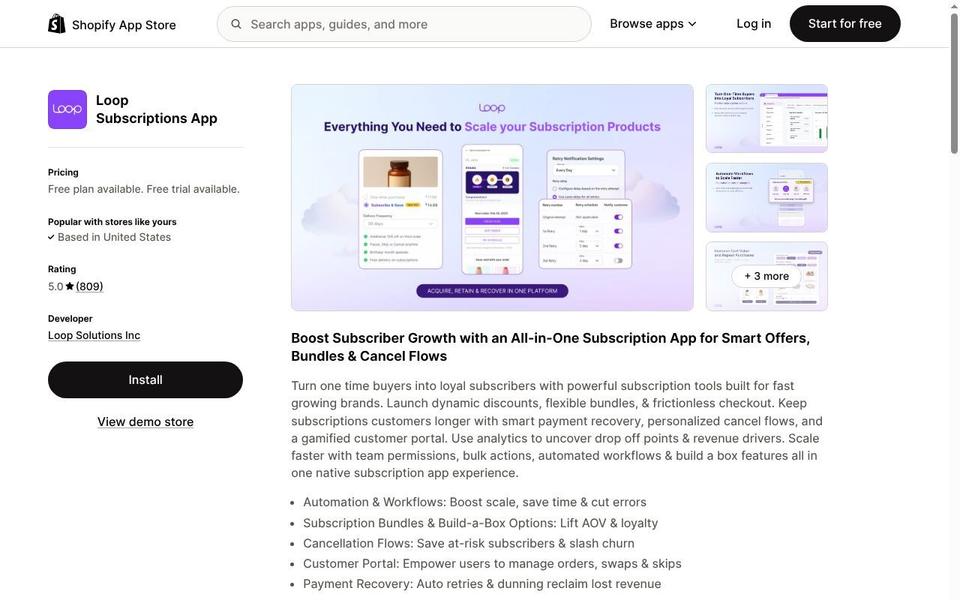
Pick this if: you want strong failed-payment tools and automation, and you like to test on a free tier first. Skip this if: you need POS subscriptions, which the listing does not show, or you expect more than 50 subscribers soon and would rather avoid a percentage fee.
Appstle
Appstle lists pay-as-you-go and prepaid subscriptions, a Shopify-native portal, multiple frequencies, payment retry, build-a-box, loyalty features and hands-on migration. Checkout, customer accounts and POS are listed.
Appstle's listing shows a free plan for up to $500 a month in subscription revenue. Paid plans cost $10, $30 and $100 a month, capped at $5,000, $15,000 and $100,000 a month in subscription revenue, all with 0% transaction fees and a 14-day trial. It is rated 5.0 from 9,215 reviews, the most in this guide.
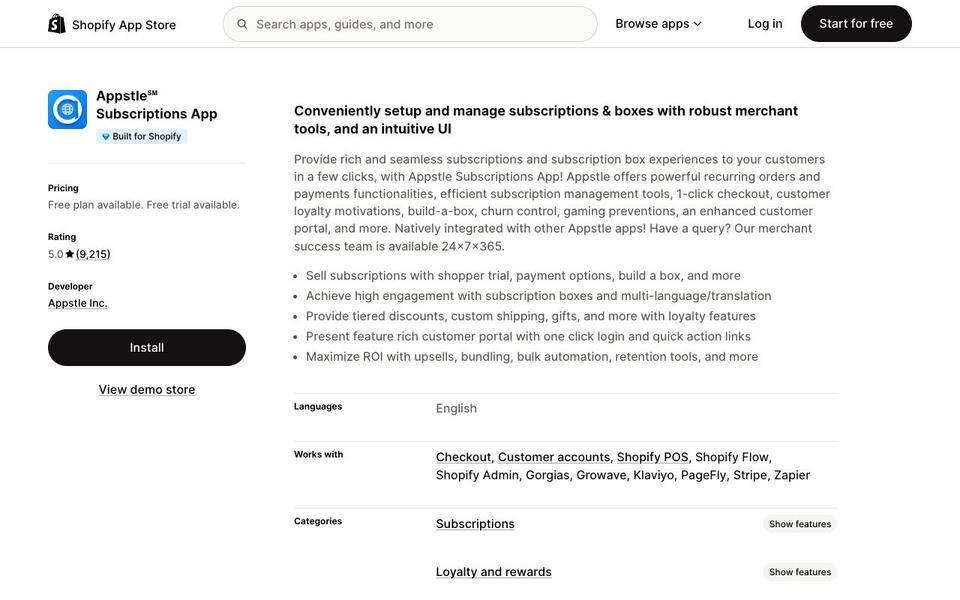
Pick this if: you want a wide feature set with a cheap way in, and migration help on the entry plan. Skip this if: you want few settings. Build-a-box and bundling sit on the $30 plan, so budget for that tier if you sell boxes, and test the portal and widget on your theme before launch.
Seal Subscriptions
Seal lists classic and prepaid subscriptions, boxes, free trials, memberships, tiered discounts, custom shipping, a passwordless "magic link" portal, and full API and webhook access on every plan.
According to the Seal listing, Seal is free for up to 50 subscriptions, then $5.95 a month for up to 100, $9.95 for up to 250 and $24.95 for up to 500, with bigger plans on request. Every plan shows a 0% transaction fee, and paid plans have a 30-day trial. It is rated 4.9 from 3,163 reviews.
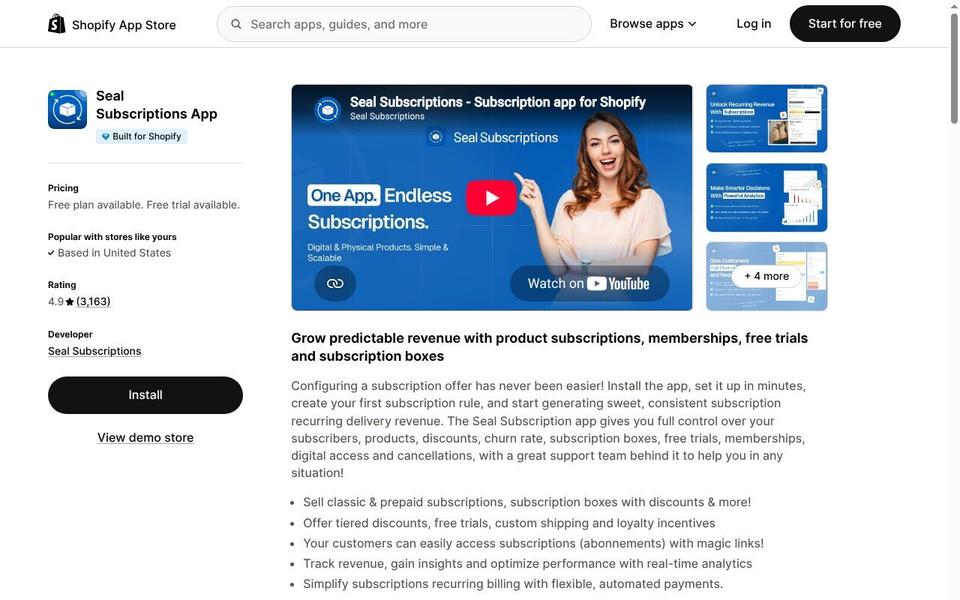
Pick this if: you sell memberships or boxes, or have a developer who wants the API. Skip this if: you want a vendor to run your migration. We did not find a migration service on the listing.
Kaching Subscriptions
Kaching is the newest app here: its listing shows a 2025 launch. It supports pay-per-delivery and prepaid plans, a portal for pause, skip, swap or cancel, retention offers, payment retry and analytics. It pairs with the same vendor's bundles app, and the vendor calls it compatible with all themes.
On the Kaching listing, the free plan is for development stores only. Live stores pay $9.99 a month for up to $1,000 in monthly subscription revenue, $14.99 for up to $3,000 or $24.99 for up to $10,000. No transaction fees are listed, and there is a 14-day trial. It is rated 5.0 from 1,202 reviews.
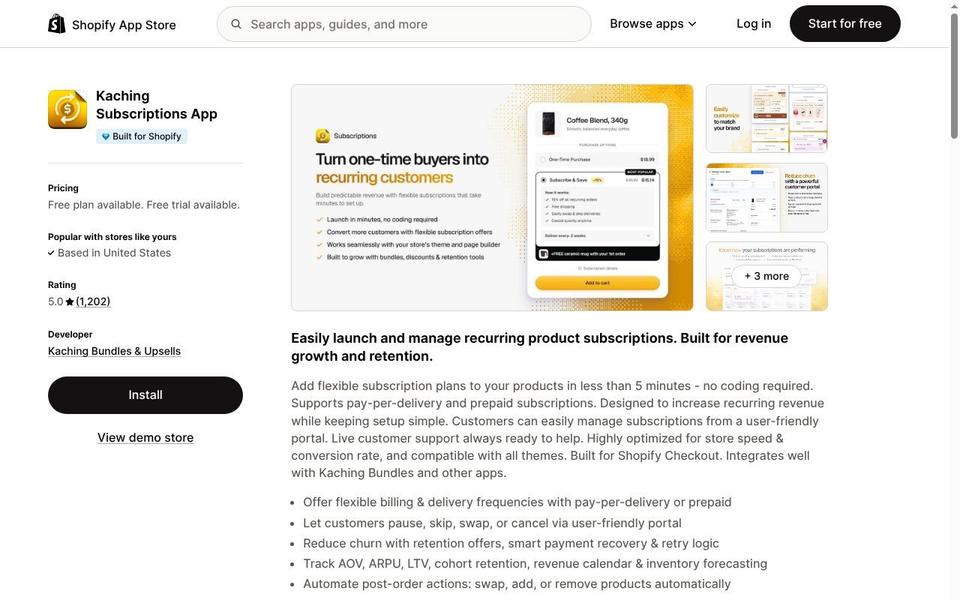
Pick this if: you want a simple, focused app next to bundles and upsells. Skip this if: your subscription revenue is already above the top listed tier, or you need a long track record. "Compatible with all themes" is a vendor claim, so ask for references at your scale.
Bold Subscriptions
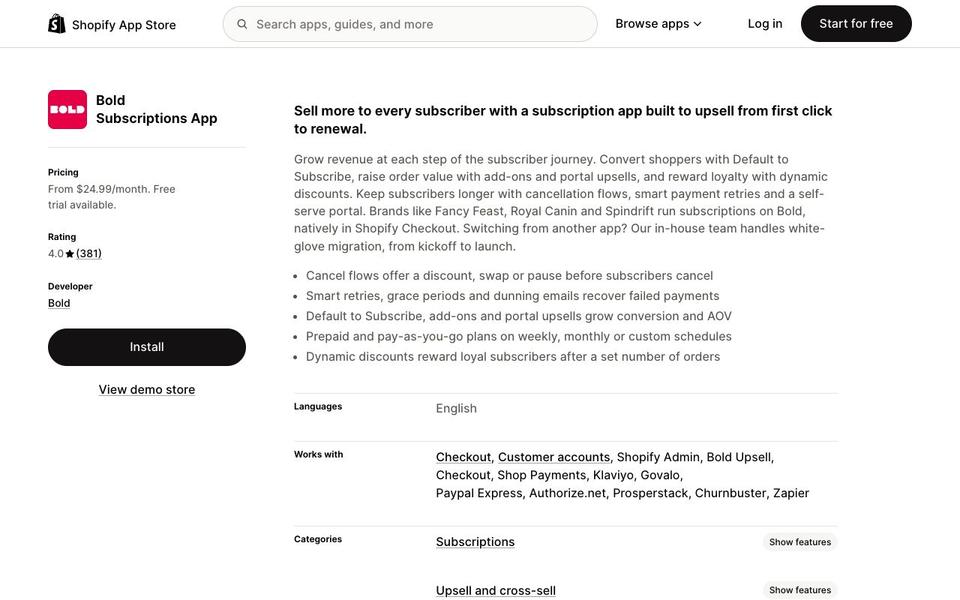
Bold lists prepaid and pay-as-you-go plans on weekly, monthly or custom schedules, a "Default to Subscribe" option, add-ons and portal upsells, dynamic discounts, cancel flows, and smart retries with grace periods and dunning emails. It says its in-house team handles white-glove migration from other apps, and it lists PayPal Express and Authorize.net among its integrations.
Bold's three plans cost $24.99 a month plus 2% per transaction, $49.99 plus 1%, or $74.99 plus 0.9%, each with a 30-day trial, according to its listing. It is rated 4.0 from 381 reviews.
Pick this if: you are moving from another app and want the vendor to do the work, or you bill through PayPal Express or Authorize.net. Skip this if: you sell little and want no percentage fee. The cheapest plan carries the highest fee here, at 2%. By our arithmetic on the listed prices, the $49.99 plan beats it once subscription sales pass $2,500 a month, and the $74.99 plan only beats that above $25,000 a month.
Two more worth a look
We also opened Stay AI, which leads with retention forecasting and AI insights, lists migration help, and costs $299 a month plus 1% + 19¢ per transaction (4.9 from 148 reviews). Smartrr combines subscriptions with loyalty, referrals and Klaviyo flows, from $99 a month plus 1% of subscriber sales (4.9 from 71 reviews). Both are active. We kept them short because their listings have far fewer reviews to read, not because they are weaker.
Side-by-side
| App | Our read: best for | Starts at | Transaction fee | Free plan | Migration help on listing | Rating (reviews) |
|---|---|---|---|---|---|---|
| Shopify Subscriptions | Simple subscribe and save in admin | Free | None listed | Free app | CSV import of contracts | 3.8 (893) |
| Recharge | Large programmes | $149/month | 1.50% + 20¢ | No, 60-day trial | Hands-on, Scale plan | 4.8 (3,153) |
| Skio | Retention and journeys | $599/month | 1.25% + 20¢ | No | Vendor moves subscribers | 5.0 (248) |
| Loop | Payment recovery, automation | Free | 1.0% or 0.75% | 50 subscriptions | Not stated | 5.0 (809) |
| Appstle | Broad features, cheap start | Free | 0% | Up to $500/month revenue | Hands-on, all plans | 5.0 (9,215) |
| Seal | Memberships, boxes, API | Free | 0% | 50 subscriptions | Not stated | 4.9 (3,163) |
| Kaching | Simple setup next to bundles | $9.99/month | None listed | Development stores only | Not stated | 5.0 (1,202) |
| Bold | Moving from another app | $24.99/month | 2%, 1% or 0.9% | No, 30-day trial | In-house white-glove | 4.0 (381) |
Ratings on young or small listings move fast, and a 5.0 from a few hundred reviews tells you less than a 4.8 from a few thousand. Read the newest one- and two-star reviews on any app you shortlist.
Failed payments and dunning
Dunning means retrying and chasing a failed renewal. On Shopify it is the app's job, not the platform's. Shopify's billing docs leave re-billing to apps and set two guardrails: retry only errors worth retrying, such as insufficient funds, and do not re-bill the same payment method more than 30 times in 35 days, or those requests fail and the payment method is revoked.
Three more details from that page matter:
- 3D Secure. When a bank challenges a charge, Shopify emails the customer, and the billing attempt only reaches a final state after they act.
- Fraud checks. A billing attempt can fail if Shopify's fraud analysis flagged the contract's first order.
- Stock. If a product in the subscription is out of stock and not set to keep selling, the billing attempt fails with an inventory error.
When you compare apps, ask these questions instead of "does it have dunning":
- How many retries, how far apart, and can we change the schedule?
- Does it vary retries by decline reason?
- What does the customer see, and can we edit the email?
- How does the customer fix a card in one step?
- What happens at the end: skip, pause or cancel?
Your gateway matters here too. Shopify Payments supports automatic card updates, which stop many failures before an app has to retry. On other gateways, you may rely on customers updating cards by hand.
Moving existing subscribers
Migration is the riskiest part of the project. Here is what Shopify documents.
- Into the free app. You can import contracts from a third-party app with a CSV, but only if that app is integrated with Shopify Checkout. The file can be at most 10 MB, the next billing date must be at least 24 hours after the import, and an import cannot edit or overwrite an existing contract. Fields are required unless marked otherwise, including a payment method ID per contract.
- Payment methods. Shopify's payment migration page gives a subscription business two routes: a secondary gateway with the "slow drip" method, or Shopify Professional Services. With slow drip, each card moves to your main gateway when that customer next updates billing details, so the timing depends entirely on your customers. Moving card numbers through Professional Services needs a Shopify Plus or Enterprise plan, and PayPal billing agreements cannot move through that service.
- PayPal account changes. The same page warns that billing agreements belong to the PayPal account that created them. Change the account, for example during a legal entity change, and renewals can fail even while new PayPal checkouts work. Talk to Shopify Support and your app vendor first.
- Gateway limits. In the developer migration guide, Stripe, Braintree, PayPal Express and Authorize.net can connect as secondary gateways. From Stripe, Shopify migrates credit cards only. From Braintree, it migrates credit cards and Apple Pay only, and Braintree's legacy integration does not support multi-currency contracts.
- Pause old billing. Shopify strongly recommends pausing billing in the old app during the move, so no customer is charged twice.
- Do not uninstall early. Shopify's developer docs say that 48 hours after an app is uninstalled, any contracts it owns that have not been terminated are cancelled. The help centre words this differently, so treat the safer reading as the rule: uninstall only after the move is finished and checked.
- Bundles. The developer migration guide says subscriptions made of bundles of different products are not supported in that flow, so check your own bundle subscriptions early.
Vendors also sell migration as a service. On their listings, Skio, Bold, Appstle and Stay AI all mention migration help. Ask for written scope: which gateway, which payment types, how many contracts, who runs billing during the cut-over, and what happens to subscribers whose cards cannot move.
Theme compatibility
Subscriptions need a widget on the product page, the plan name in the cart and clear disclosure at checkout. Shopify's theme docs describe how selling plans appear in Liquid, and the UX guidelines cover how plan names and prices should show. App Store rules also require listed apps to show the selling plan name on the cart page.
What to do about it:
- The free Shopify app needs a sections-and-blocks theme, as above.
- Shopify's migration guide notes that some themes support subscriptions by default, and that any code an app injects into the theme should be optional, so you do not end up with two widgets.
- On a heavily customised theme, test the product page, cart drawer, quick-add buttons and any bundle builder before launch. If you want a second pair of eyes on a custom theme, talk to us.
How to choose
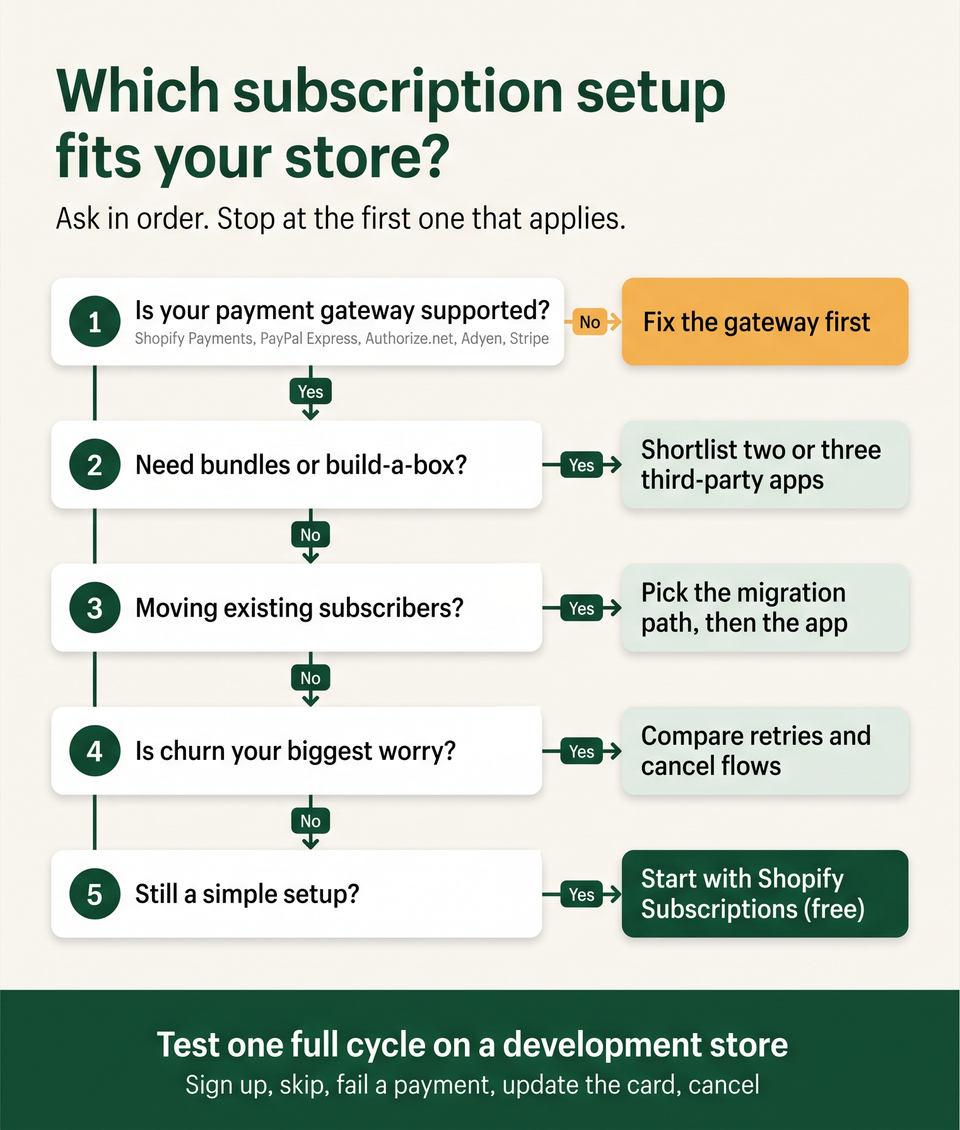
A quick rule set:
- Check the gateway first. If yours is not on Shopify's list, nothing else matters.
- Need bundles or build-a-box? The free app is out. Shortlist two or three third-party apps.
- Moving subscribers? Choose the migration path before the app, and get the plan in writing.
- Care most about churn? Compare failed payment settings and cancel flows, not feature counts.
- Still simple? Start with Shopify Subscriptions. You can move later, but moving has its own cost, so decide with growth in mind.
Before you pay for anything, install two shortlisted apps on a development store with your real theme and run one full cycle: sign up, skip, change address, fail a payment, update the card, cancel. If you also sell pre-orders or run upsells at checkout, check those apps still work next to your subscription app.
Questions people ask
Does Shopify have built-in subscriptions?
Partly. Selling plans, contracts, subscription checkout and customer accounts are part of Shopify. You still need an app to create plans and run renewals. Shopify's own app is free.
Which payment gateways work with subscriptions?
Shopify's help centre lists Shopify Payments, PayPal Express, Authorize.net, Adyen and Stripe. Stripe is for select merchants only, Adyen needs existing approval, and availability depends on your region. Local, manual and non-card methods might not work.
Can customers pay with Apple Pay, Google Pay or PayPal?
It depends on the gateway. With Shopify Payments, Shop Pay, Apple Pay, Google Pay and PayPal can work, but some stores get only Shop Pay, and Apple Pay for subscriptions is limited to Visa and Mastercard. With Authorize.net, PayPal is the only wallet.
Who retries failed payments?
The subscription app. Shopify gives apps the tools and the rules, such as not re-billing the same payment method more than 30 times in 35 days. Ask your app how many retries it runs and how the customer updates a card.
Can I use gift cards or discount scripts on subscriptions?
Only for the first payment. Shopify says gift cards and Shopify Scripts that change subscription costs or shipping apply to the first payment only. Automatic discounts can apply to every order.
Can I add a subscription to a draft order?
Yes, now. Shopify's help centre says draft orders can hold recurring and prepaid subscriptions, completed by sending an invoice or checkout link. Marking them as paid is listed as coming soon, and the order edits API still does not support subscriptions.
What happens if I uninstall a subscription app?
Shopify's developer docs say contracts owned by that app that have not been terminated are cancelled 48 hours after uninstall. Do not uninstall until your subscribers are safely moved.
Will subscriptions work with my theme?
For Shopify's free app, the theme must support sections and blocks. Shopify lists its own Online Store 2.0 themes, Horizon, and recent Debut and Brooklyn versions. For other apps, ask the vendor for a demo on your theme.