Does Shopify Take a Percentage of Sales? Every Fee Explained
Shopify does not take a cut of your revenue through its plans, but percentages do appear in the payment layer. Here is each fee layer, a worked example with symbols, and where to read your own live rates.


Shopify does not take a cut of your revenue through its plans. You pay a monthly subscription, and the percentages show up in the payment layer: a card rate if you use Shopify Payments, or a transaction fee if you use another payment provider. This guide pulls those layers apart, shows you how to work out your own number with a simple formula, and tells you where to read the live rates. We checked the pages linked below and we describe a store based in the United States. Other countries differ, so always check the live page for your own region.
The plain answer
There are three kinds of money that leave a Shopify store.
- A fixed fee for the platform. This is your plan. It does not change when you sell more.
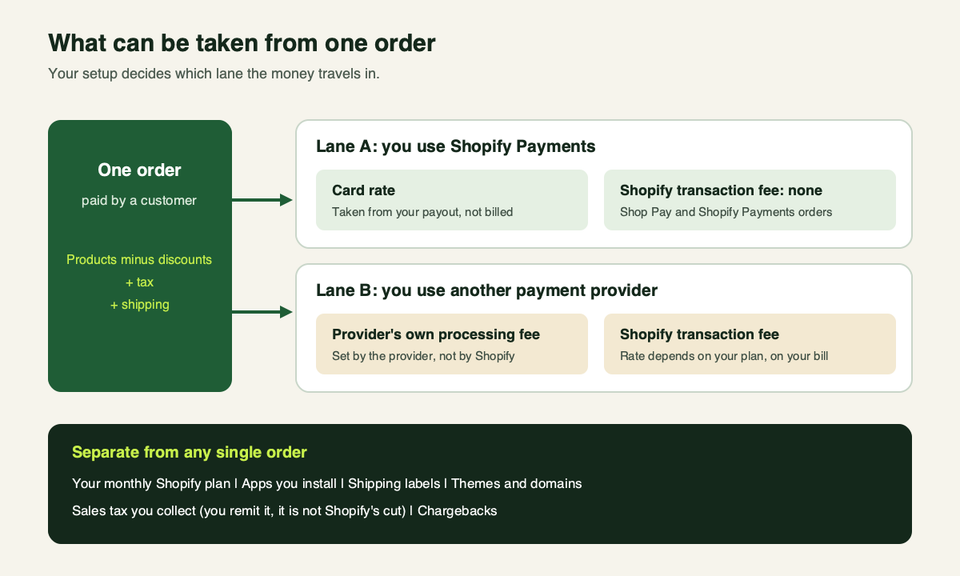
- A percentage of each payment. This is the card rate (Shopify Payments) or the third-party transaction fee (any other provider). Only one of these two applies to a given order.
- Everything else. Apps, shipping labels, themes, domains, tax tools, chargebacks and a few add-ons. Most are flat or per-use. A small number are percentages.
So the fair answer to "does Shopify take a percentage of sales?" is: yes, of payments, and you can often choose which lane your payments travel in.
The layers at a glance
| Layer | Who charges it | Is it a percentage of the sale? | Where you see it |
|---|---|---|---|
| Shopify plan | Shopify | No, a subscription | Settings, then Plan and Billing |
| Card rate with Shopify Payments | Shopify | Yes, set by your plan and market | Deducted from payouts |
| Third-party transaction fee | Shopify | Yes, the rate depends on your plan | On your Shopify bill |
| Your other provider's processing fee | The provider | Set by the provider | The provider's statement |
| Cross-border card charge (US stores) | Shopify | Yes | Payout fees |
| Apps | Each app developer | Usually flat or usage-based | Shopify bill, or the developer directly |
| Shopify Tax | Shopify | Only after a sales threshold, and capped | Shopify bill |
| Sales tax | Your government | You collect it for them | Your tax returns |
| Chargebacks | Card network and bank | A fee plus the disputed amount | Taken from the payout |
Layer 1: your Shopify plan
The plan is a flat subscription. It is invoiced every 30 days, in advance, according to Shopify's app charges page. The pricing page has a monthly or yearly toggle, trial offers and a plan comparison table. Those figures move with region, billing term and promotions, so we do not print them here.
Two things worth knowing from the same pricing page: there are no setup fees on any plan, and Shopify says the rate for third-party transaction fees depends on your plan. If you are weighing a bigger plan mainly for a lower rate, read our Shopify vs Shopify Plus guide first, because the rate is rarely the whole story.
Layer 2: card processing with Shopify Payments
Shopify Payments is Shopify's own payment processor. Shopify's help page says that when you use it, you pay the credit card rate but you do not pay a Shopify transaction fee. The card rate is not billed to you. It is deducted from your payouts.
What decides the rate, for a US-based store, according to Shopify's card rates page:
- Card type. Standard covers domestic consumer cards from Visa, Mastercard, Discover and Diners Club. Premium covers domestic business cards and all domestic American Express cards.
- Where the card was issued. International cards cost an extra charge above the base rate. For US stores, Shopify's card origin page states a 1% cross-border fee on sales made with a card issued in another country.
- How the card was taken. In-person rates are usually lower than online rates. Cards typed in by hand through draft orders or POS carry higher fees.
- Your plan and market. Shopify says the rate depends on your Shopify plan.
Shop Pay is part of Shopify Payments and its orders are processed at your Shopify Payments rates. Shop Pay and Shopify Payments orders do not attract the third-party transaction fee.
One honest limit: on the public pricing, payments and help pages we opened, we could not find a published percentage for the card rate. Shopify points you to your own admin instead (steps below). Many older articles, including the earlier version of this one, quoted percentages dated 2021. We have not repeated any, because we could not confirm them on a Shopify page today.
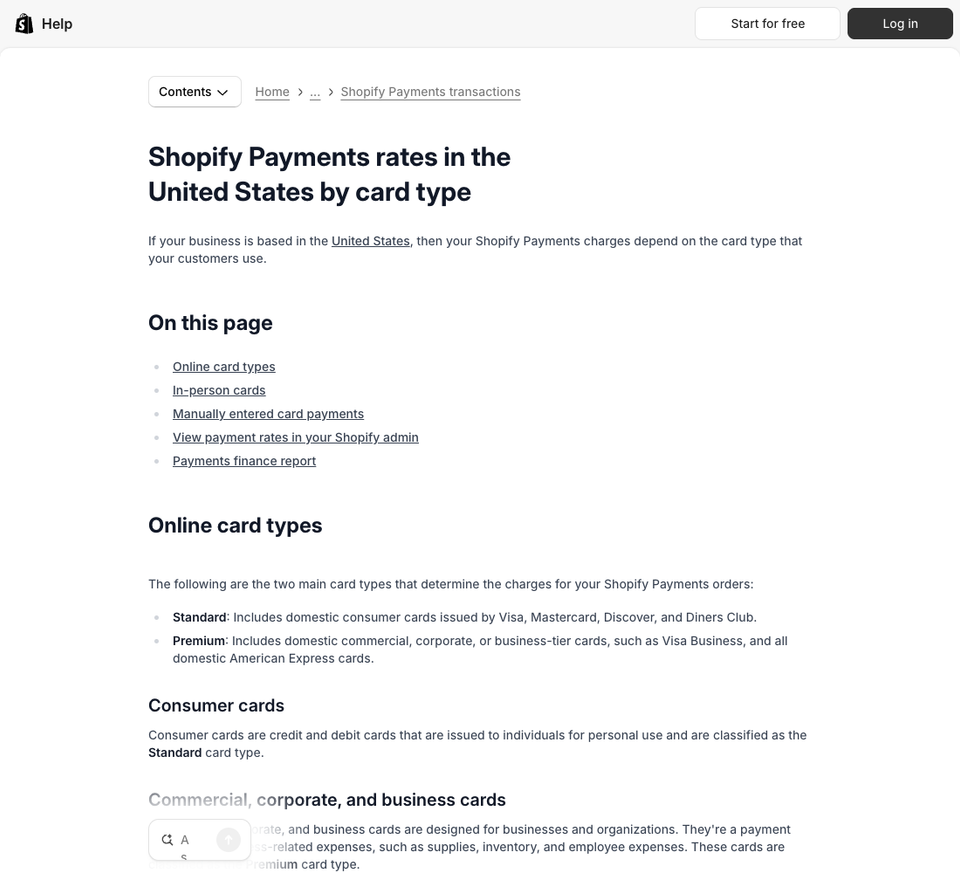
To see your own rate: in your Shopify admin go to Settings, then Payments. In the Shopify Payments section click Manage, then look under Standard rates for your Domestic and Rest of World credit card rates (Shopify's payout fees page has the steps).
Availability. Shopify Payments only works in certain countries, and not for every business category. The supported countries list is long, and it includes the United States, United Kingdom, Canada, Australia and many EU countries. If yours is not listed, or your category is not supported, you must use a third-party provider.
Layer 3: another payment provider and the transaction fee
If you take cards through a provider other than Shopify Payments, you pay two things on the same order: the provider's own processing fee, and Shopify's third-party transaction fee. Shopify's help page on these fees says the transaction fee is in addition to the provider's fees.
What the page says, in plain terms:
- The rate varies with your Shopify plan.
- It is worked out for a 30-day period with this formula: (cost of products minus discounts, plus tax, plus shipping) times the rate. Tax and shipping are inside the base, so the fee is a little larger than a percentage of the product price alone.
- No transaction fee applies to Shopify Payments, Shop Pay, Shop Pay Installments, POS orders, or manual methods such as cash on delivery and bank transfer.
- If you make Shopify Payments your primary provider, PayPal transactions are exempt.
- On stores created on or after 12 May 2025, store credit and gift cards used as payment attract the fee on the amount paid that way.
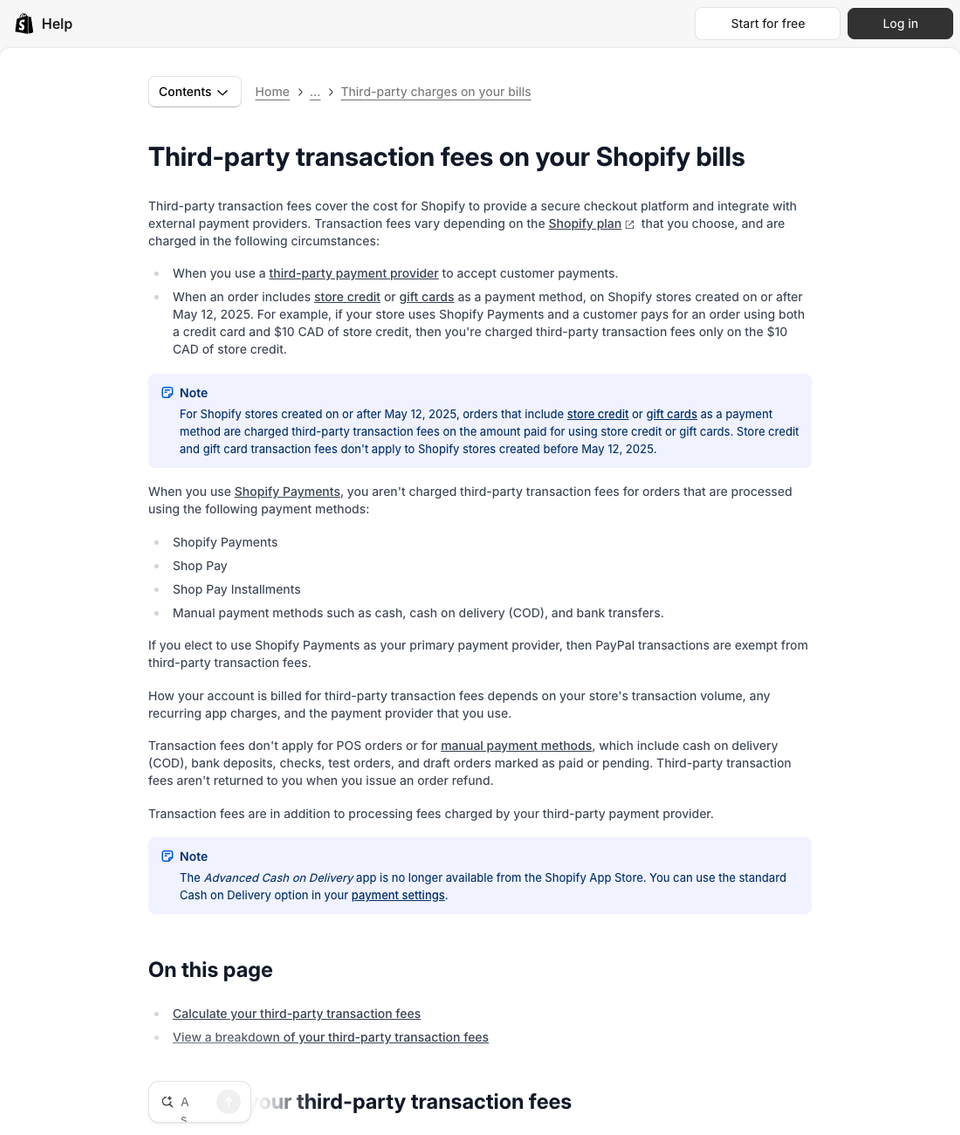
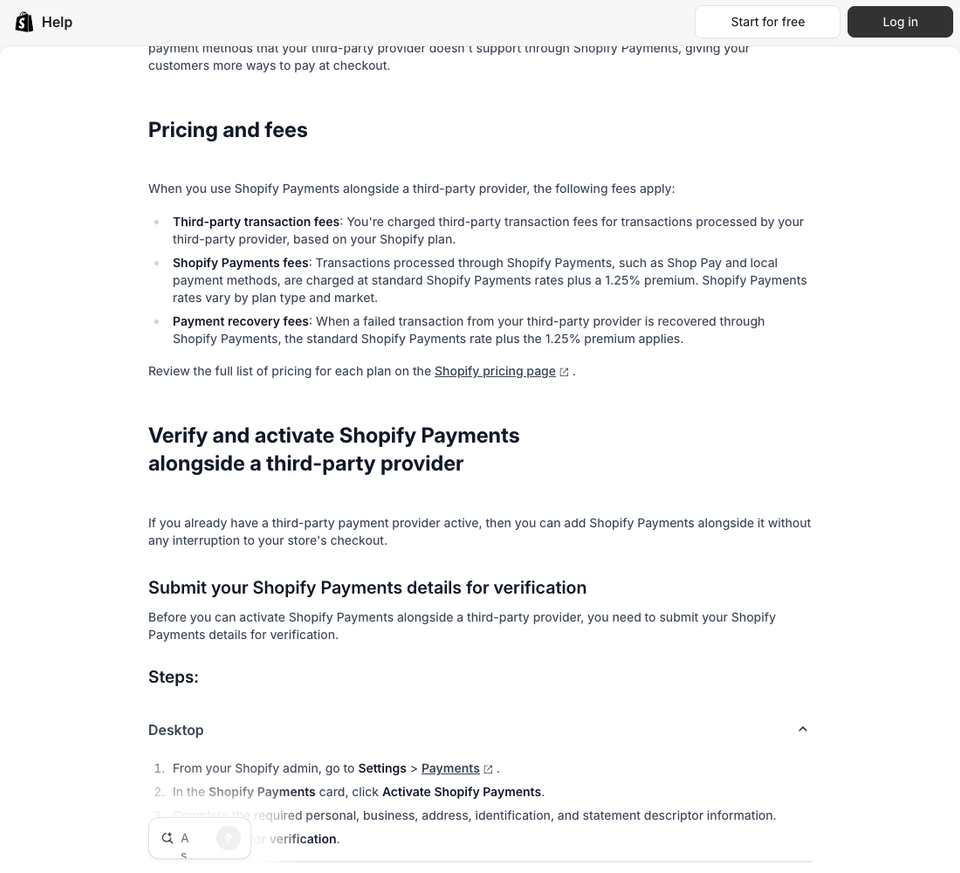
Using both at once. You can run Shopify Payments next to a third-party provider to offer Shop Pay and local payment methods, and to retry failed card payments. Shopify's page on this says those Shopify Payments transactions are charged at standard rates plus a 1.25% premium, and the third-party transaction fee still applies to what your other provider handles. It also says Shopify Protect covers only transactions processed through Shopify Payments.
A worked example, with symbols
We will not invent numbers. Use your own. Take one order where:
- P is the products total after discounts
- X is the tax
- S is the shipping
- T is what the customer pays, so T = P + X + S
Then, for a store in the United States:
Lane A (Shopify Payments)
  You lose:  card fee on this payment (your rate, from the admin)
  Shopify transaction fee: none

Lane B (another provider)
  You lose:  provider's processing fee (from your provider's terms)
           + Shopify transaction fee = (P + X + S) x r
  where r is the third-party rate for your plan
The question is simple: is the provider's fee plus Shopify's transaction fee smaller than the Shopify Payments card fee on the same order? Use your average order total for T, and run the sum on your last 30 days of orders, not on a guess. A lower processing rate at your provider can disappear once r is added.
Other places a percentage can show up
- Marketplace orders. The plan comparison on the pricing page lists a free allowance of 50 synced marketplace orders a month, then 1% of orders above that, up to $99 a month.
- Shopify Tax. If you choose Shopify Tax, fees only start once store sales pass a threshold (100,000 in your store currency for US, EU, UK and Canada stores), and they are capped per order and per year. Read that page before you switch it on.
- Shopify Capital. The pricing page footnote says Shopify Capital loans are repaid as a percentage of daily sales. That is a loan you choose, not a fee on every store.
- Messaging. Shopify Messaging gives plan holders 10,000 free emails at the start of each month, then charges apply.
Apps, themes and shipping
App charges are set by each developer. Shopify's page lists four types: subscription, usage-based, one-time and credits. Some developers bill you outside Shopify, so those charges will not appear on your Shopify bill, and uninstalling the app does not cancel them. Themes and domains are one-time charges. Shipping labels are charged separately from your subscription. Before you go live, run through our Shopify launch checklist. If you offer free shipping, remember that the shipping you absorb is a cost too: see free shipping on Shopify.
Taxes, chargebacks and refunds
Sales tax is not Shopify's cut. You may need to collect it and send it to your government. Shopify's taxes page says tax is your responsibility and that Shopify does not remit or file for you unless you use Shopify Tax with automated filing. Check with an accountant.
Chargebacks. If a cardholder's bank raises a chargeback, the disputed amount and a chargeback fee are taken from you straight away. If you win, you get the amount back, and Shopify might refund the fee depending on your country or region. With Shopify Payments the money comes out of your next available payout. Shopify says it is not liable for chargebacks.
Refunds. Shopify's refund page says that with Shopify Payments you do not get card fees back on a refunded order. For third-party gateways it says the result depends on whether Shopify Payments is available in your country. The fee page we linked above states more simply that transaction fees are not returned on a refund. Because those two pages are worded differently, check with Shopify Support if refunds are a large part of your volume.
How to find your real number
- Open Settings, then Payments, and write down your Shopify Payments card rates, if you have them.
- Open Settings, then Billing, open a past bill and read the Transaction fees section. That tells you if you are paying them.
- Get your third-party provider's current fee schedule in writing.
- Take your last 30 days of orders and run the formula above in both lanes.
- Add the flat costs: plan, apps, shipping labels.
- Recheck every few months. Shopify says rates depend on your plan and region, and they change.
Which setup suits you
- Pick Shopify Payments if it is available where you are, your business category is supported, and you want one fewer fee layer. You get Shop Pay and no Shopify transaction fee.
- Pick another provider if Shopify Payments is not available to you, or your provider's contracted rate plus Shopify's transaction fee still comes out lower on your own orders. Be sure to include Shopify Protect, which covers only Shopify Payments transactions.
- Run both if you want Shop Pay or local payment methods on top of a provider you already trust, and you accept the extra 1.25% on those Shopify Payments transactions.
If you are moving from another platform and want someone to model the fees on your real order data before you commit, talk to us. If you are still at the start, our guide to setting up a Shopify store is the wider walkthrough.
Questions people ask
Does Shopify take a percentage of every sale?
No, not through the plan itself. Percentages come from the payment layer: the card rate with Shopify Payments or the transaction fee with another provider. A few add-ons, such as marketplace sync above the free allowance, also use a percentage.
Do I pay a transaction fee if I use Shopify Payments?
No. Shopify says orders processed through Shopify Payments, Shop Pay and Shop Pay Installments do not attract third-party transaction fees. You still pay the card rate, which comes out of your payouts.
Can I avoid transaction fees completely?
You can avoid Shopify's third-party transaction fee by using Shopify Payments. POS orders and manual methods such as cash on delivery and bank transfer are also exempt. You cannot avoid card processing costs altogether, because someone has to process the card.
Is Shopify Payments available in every country?
No. Shopify says it is only available in certain countries and regions, and some business categories are not supported. Check the supported countries list for yours.
Are fees refunded when I refund a customer?
Not in full. With Shopify Payments, card fees are not refunded. Shopify's pages differ on third-party transaction fees, so confirm with Shopify Support if it matters to you.
Does Shopify charge for sales tax?
Shopify does not take sales tax. You collect it for your government and you are responsible for filing it. If you use Shopify Tax, separate fees can apply once your sales pass the threshold.
Do apps and themes take a percentage of my sales?
App charges are set by each developer. Most are subscriptions, usage-based or one-time, and some are billed outside Shopify. Read the pricing section of each app listing before you install.
Where do I find the current rates?
Your Shopify admin shows your own Shopify Payments rates, and your past bills show any transaction fees. For plan details, use the Shopify pricing page. Do not rely on a blog post for numbers, including this one.